 WazzaBee
WhatsApp chatbot: a menu with buttons that answers customers instantly
✦ Key takeaways
- •What is a WhatsApp chatbot with a menu?
- •How is a chatbot different from an AI manager, and which should you choose?
- •What can the WazzaBee menu bot do?
- •Which businesses is a WhatsApp chatbot good for?
- •How do you launch a chatbot from ads with a keyword?
A customer messages you on WhatsApp at 11:40 pm: "How much does it cost?". Your manager sees it in the morning, but by then the customer has already written to two other places and bought from whoever answered first. During the day there is another problem: the manager keeps answering the same questions over and over. Prices, address, opening hours, delivery. That eats half of the working day, and real selling never gets the attention it needs.
A WhatsApp chatbot closes both gaps. The customer sends one word, for example "Menu", and instantly gets a menu with buttons: prices, services, booking, address, contact a manager. They tap an item and immediately get an answer, a PDF price list or a real person. Below we explain how this bot works in WazzaBee, which businesses it suits, how to launch it from ads and how to build it yourself in one evening, without a developer.
What is a WhatsApp chatbot with a menu?
It is a bot that replies to the customer on WhatsApp with a menu of items and buttons instead of a wall of text. The customer picks an item and the bot acts: sends a text or a file, opens the next menu, calls a manager, adds a tag, creates a deal in the CRM.
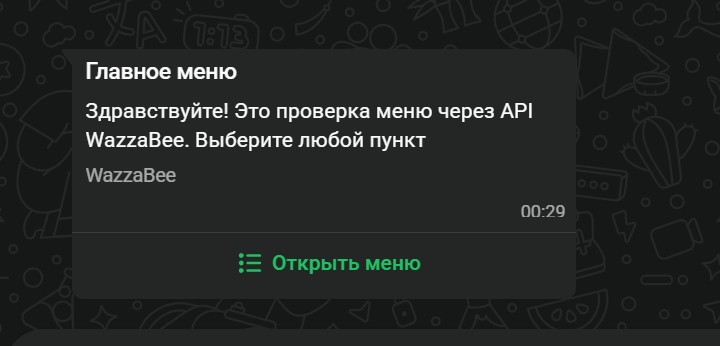
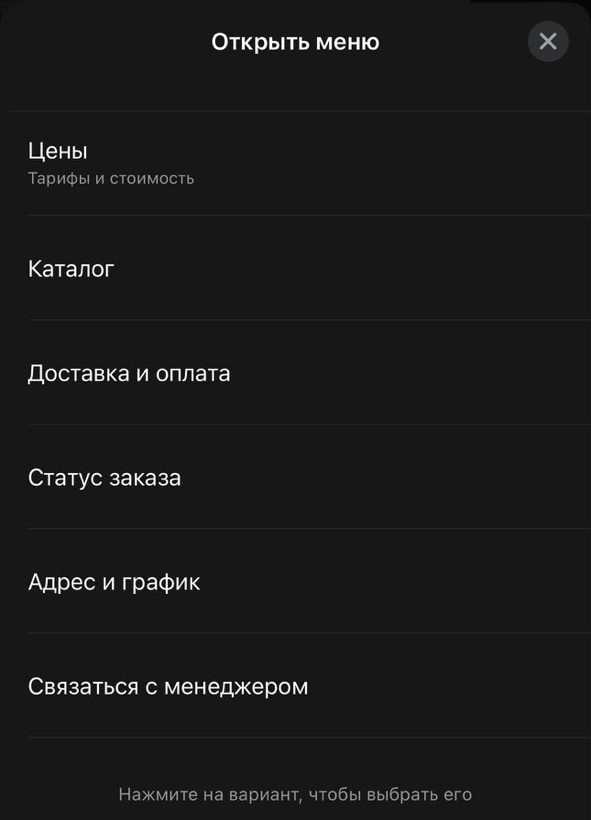
In WazzaBee this bot is called a menu bot. It runs on the official WhatsApp Business API, so the buttons and lists look like native WhatsApp elements to the customer: an "Open menu" button with a list of up to 10 items with descriptions under it. No "press 1 to see prices": the customer simply taps an item.
How is a chatbot different from an AI manager, and which should you choose?
A menu chatbot replies instantly and always with the same accuracy: prices, the address and the price list go out exactly as you wrote them. An AI manager understands free text and holds a real conversation. They are not competitors but partners.
| Menu bot | AI Office (bees) | |
|---|---|---|
| How it talks | Menus and buttons, the customer picks an item | Regular messages, like a real employee |
| Where answers come from | The flow you built | Company knowledge: services, prices, rules |
| Strength | Speed and accuracy on typical questions | Free-form and unusual questions |
| When it calls a manager | When the customer taps "Contact a manager" | When the question is beyond it or the customer is ready to buy |
They work best together: the bot answers first and guides the customer with buttons, and if the customer types their own question instead of tapping, a bee picks it up. Learn more about AI employees in the article "AI manager for WhatsApp: how the WazzaBee AI Office answers customers 24/7".
What can the WazzaBee menu bot do?
A menu bot is built from six message types and five actions. That is enough to cover almost all typical customer questions.
| Message | What the customer sees | WhatsApp limits |
|---|---|---|
| List menu | An "Open menu" button that opens a list of items | up to 10 items, item title up to 24 characters |
| Buttons | Buttons right under the message, with an optional image, video or PDF on top | up to 3 buttons, label up to 20 characters |
| Link button | A button that opens your website or booking page | label up to 20 characters |
| Location request | A "Send location" button | text up to 1024 characters |
| Text | A regular message | up to 4096 characters |
| File | An image, video or PDF with a caption: price list, catalog, proposal | up to 15 MB |
When an item is chosen, the bot can perform several actions at once:
- Reply with a new message or return to the main menu.
- Hand over to a manager: the conversation gets a "Waiting for a manager" label with the reason, and the owner gets a notification.
- Add a tag to the chat, for example "Hot lead".
- Create or move a deal in the CRM to the right pipeline stage.
- End the bot.
The bot addresses the customer by their WhatsApp name, and if there is no name, it simply leaves it out. The address, phone number and other repeated details can be entered once as a variable and changed in one place.
Which businesses is a WhatsApp chatbot good for?
For any business where customers ask the same questions. The flow stays the same, only the menu items change.
| Business | What to put in the menu |
|---|---|
| Beauty salon | Services and prices, stylists, a link button to online booking, address as a location |
| Clinic and dental practice | Departments, how to prepare for a visit, PDF price list, "Contact the front desk" |
| Car service | Services, booking a diagnostic, address and opening hours, a manager |
| Delivery and online store | PDF catalog, delivery terms, order status via a manager |
| Real estate | Listings by district, mortgage, "Find an apartment" with an agent callback |
| Education | Courses, schedule, booking a trial lesson |
| Travel | Destinations, visa support, tour selection by a manager |
If you manage customers in the WazzaBee CRM, the bot creates a deal and moves it through the pipeline by itself. We covered how this looks in specific businesses in our articles about a CRM for beauty salons, clinics and dental practices and car services.
How do you launch a chatbot from ads with a keyword?
Set a keyword in the bot, for example "Menu", "Start" or "Prices", and use it in an ad with a "Send WhatsApp message" button. A person taps the ad, sends this word, and the bot instantly greets them with the menu, even at night.
There are three ways to launch the bot:
- By keyword. "Whole message" fires only if the customer typed exactly that word. "Word inside the message" also fires on "Show me the menu, please".
- On the customer's first message. The bot greets every new customer.
- Manually from the chat. A manager clicks "Send menu", and the customer receives the bot's first message.
Under WhatsApp rules, the bot replies to a customer's message within 24 hours after it. You cannot message first or send a broadcast with a menu bot; templates with buttons exist for that, see the article about WhatsApp HSM templates.
How do you build a WhatsApp chatbot in WazzaBee?
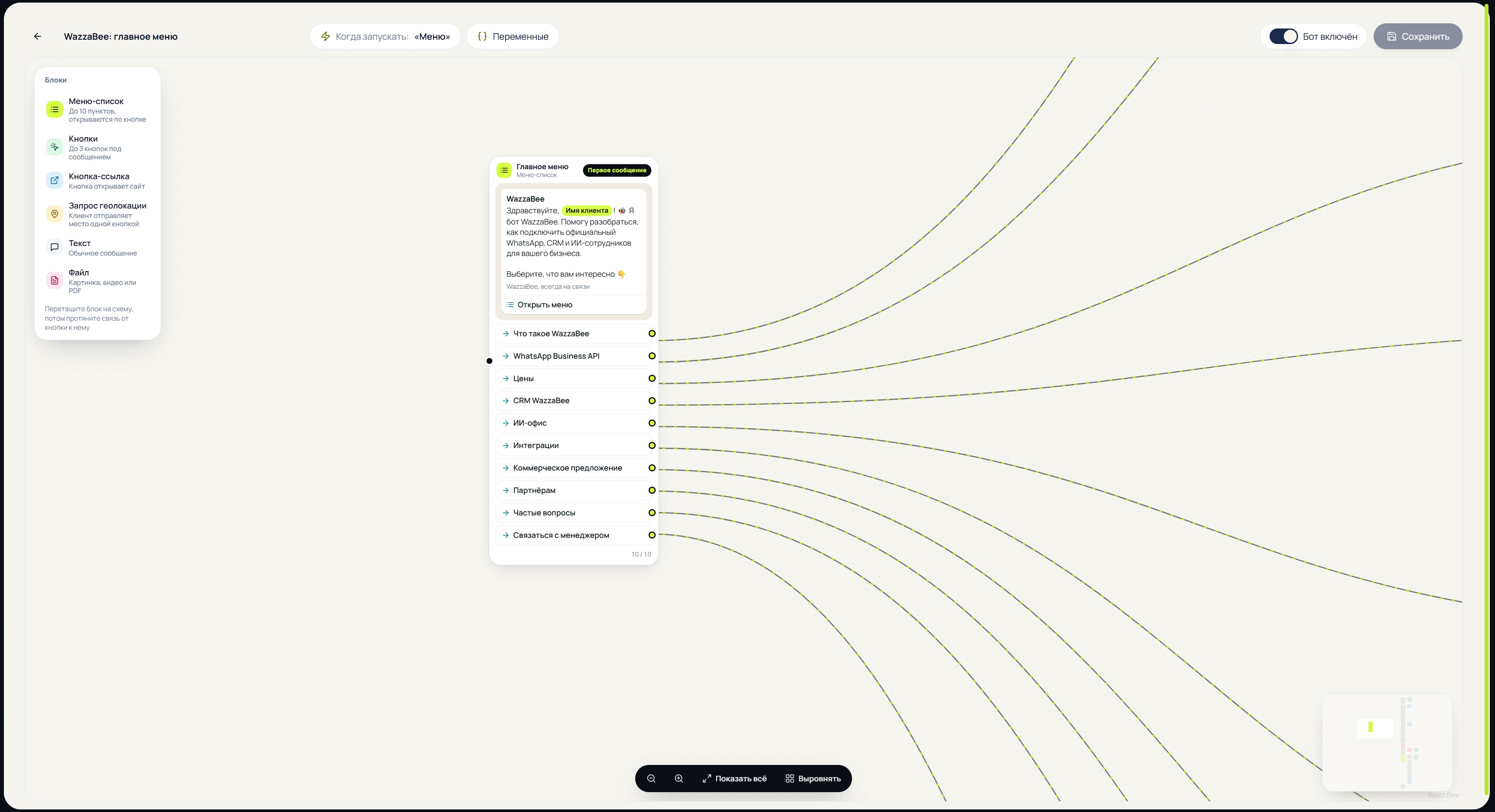
The bot is built right in the dashboard on a visual flow, like a constructor. You need neither a developer nor Meta templates.
- Connect the official WhatsApp if you do not have it yet. It takes 15 minutes, step by step in the article "How to connect the official WhatsApp".
- Open Templates → Menu bots, choose a line and click Create bot.
- Build the first message: a greeting and the menu items. Drag blocks onto the flow and draw a connection from an item to its reply.
- Click any message: its settings and a "How the customer will see it" preview open on the right. Character counters show the WhatsApp limits as you type.
- Choose when to launch the bot: a keyword or the customer's first message.
- Turn the bot on and message it from your own phone to test every branch.
If the flow has an error, the message is highlighted in red and such a bot cannot be turned on, so a broken bot never reaches customers. The full guide with limits and examples: "Menu bots" in the WazzaBee documentation.
How much does a WhatsApp chatbot cost in WazzaBee?
The menu bot builder is already included in the WazzaBee dashboard, there is no separate fee for it. You pay for the official WhatsApp line, $67 per month, and Meta charges for messages under its own rules, just like a manager's replies. We explained current message prices in detail in the article about WhatsApp pricing from October 1, 2026.
The bot also works in other channels connected to the dashboard: a Telegram bot, Instagram and Messenger. You build a flow once for each line.
Why should the bot run on the official WhatsApp?
Bots on a regular number connected via a QR code rely on unofficial workarounds. Meta increasingly bans such numbers, and the customer base and the whole chat history go with the number. On the official WhatsApp Business API the bot works under Meta's rules: menus and buttons are allowed, the number is protected, and the whole team can work on one line. Read why numbers get banned and how to avoid it in the article "Why WhatsApp got banned".
Want to try the bot yourself? Send us "Menu" on WhatsApp: our own WazzaBee bot is built in this very builder.
FAQ

An omnichannel platform that connects messengers to your CRM. We link WhatsApp, Telegram, Instagram and 5 more channels to your business in Kazakhstan.
You may also like
How to Connect Official WhatsApp (WABA): A Step-by-Step Guide for 2026
Official WhatsApp (WABA) takes 15 minutes to set up. What to prepare, how to get through sign-up step by step, what the subscription and messages cost in tenge, what to do if the number is already in the WhatsApp Business app, and what most often derails the process.
WhatsApp HSM templates in WazzaBee: reaching customers outside the 24-hour window
How clinics, medical centers and service companies use WhatsApp HSM templates in WazzaBee: lab results sent as a link, reminders, invoices, Bitrix24 and CRM robots.
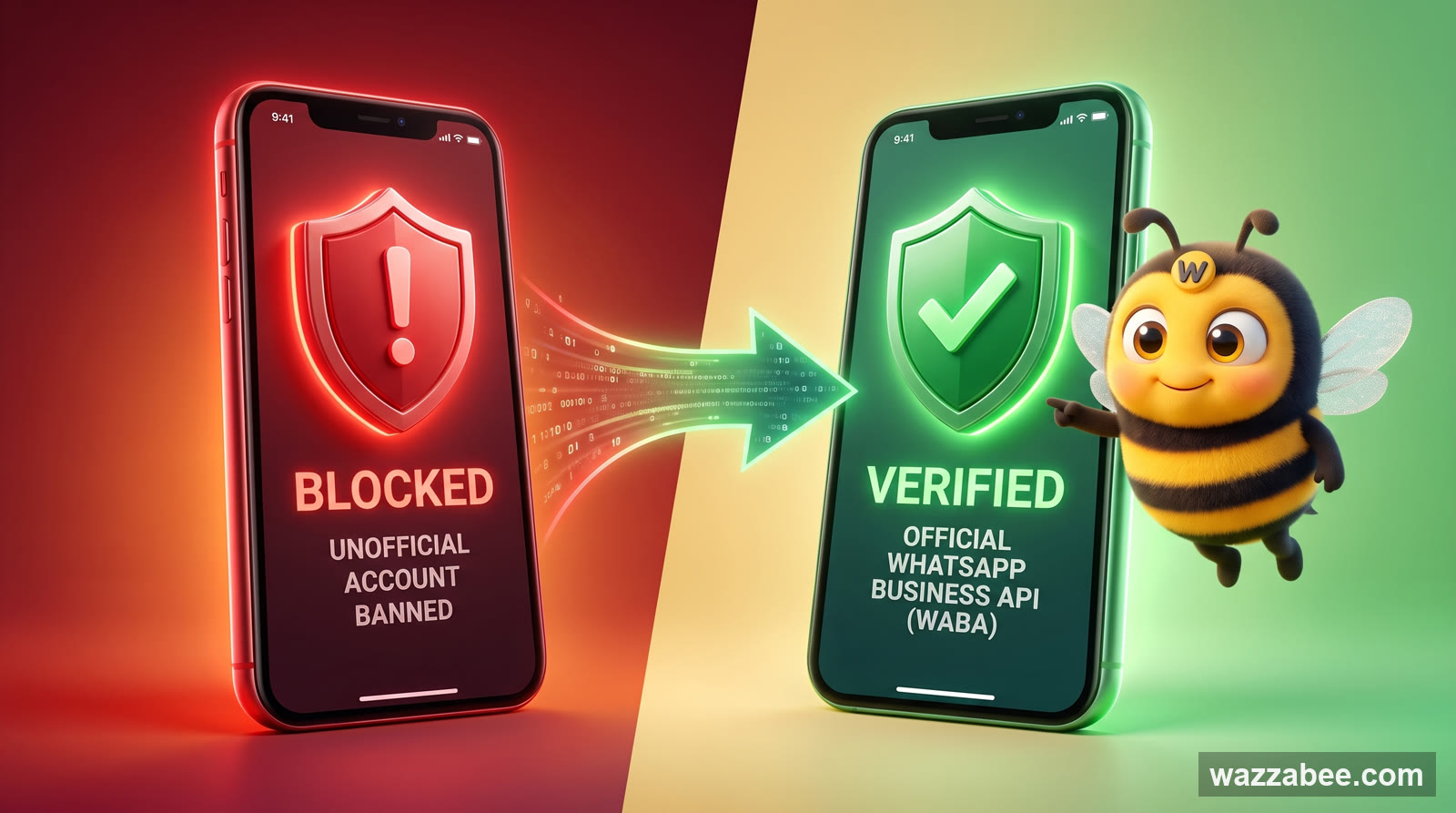
Why Your WhatsApp Got Blocked: What Bans a Business Number and How WABA Gets You Back to Work
Why Meta is banning business WhatsApp accounts en masse in 2026: grey bulk-messaging services, broken rules, customer complaints. What to do the moment you are blocked, and how to move to the official WhatsApp Business API (WABA), which does not get banned for campaigns.