 WazzaBee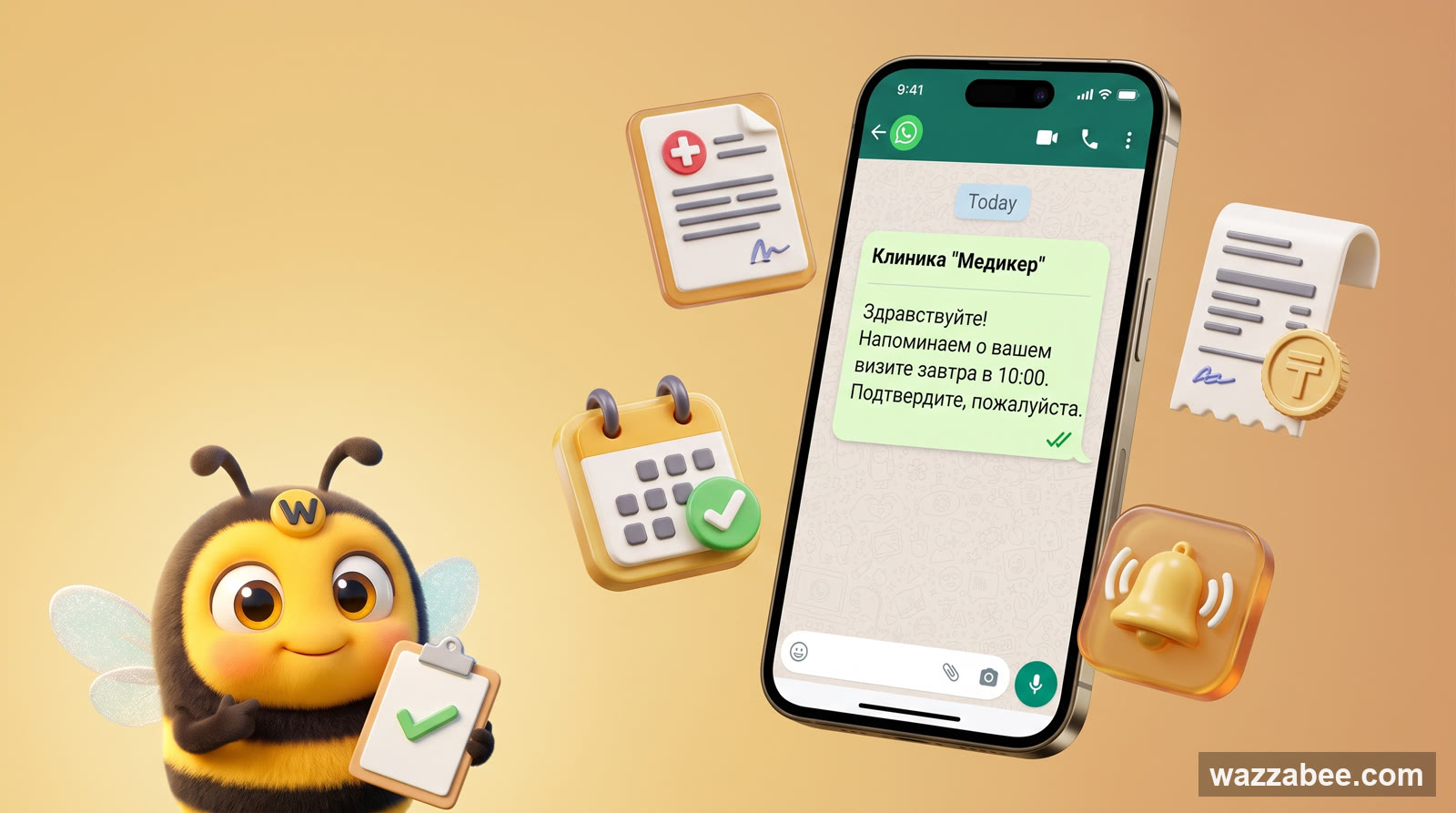
WhatsApp HSM templates in WazzaBee: reaching customers outside the 24-hour window
✦ Key takeaways
- •What you'll be able to set up by the end
- •The 24-hour window, and why you can't work around HSM
- •Meta's template categories
- •How it works in WazzaBee
- •Scenario 1. A medical center sending lab results
How to use WhatsApp HSM templates in chat, in Bitrix24 and in CRM automations once Meta's 24-hour window has closed.
WhatsApp HSM templates exist for the moments when a business has to message a customer first, or pick the conversation back up after the 24-hour support window has expired. In WazzaBee you can use those templates right inside the chat: the agent picks a Meta-approved template, fills in the {{1}}, {{2}} variables, checks the preview and sends the message.
This one is especially useful for medical centers, clinics, laboratories, service companies, training centers, online stores and sales departments that run on WazzaBee, Bitrix24 or any other CRM.
What you'll be able to set up by the end
Send a link to lab results with no personal data in the WhatsApp text itself.
Remind a customer even after the 24-hour window has closed.
An invoice, a payment link or a contract passed through template variables.
An HSM sent automatically from Bitrix24 when a deal changes stage.
The 24-hour window, and why you can't work around HSM
The WhatsApp Business Platform has two distinct modes of talking to people:
| Situation | What you may send | When it applies |
|---|---|---|
| The customer messaged you first | Ordinary service messages in the chat | Within 24 hours of the customer's last incoming message |
| More than 24 hours have passed, or you're writing first | An approved HSM template only | Notifications, reminders, results, invoices, statuses, follow-ups |
The moment the customer replies to your HSM message, a new 24-hour window opens. Inside it the agent can go back to ordinary messages: clarify details, answer questions, send extra materials.
Meta's template categories
Meta sorts WhatsApp Business Platform messages into categories. The category drives how the template is reviewed, what it costs and what the text is allowed to say.
| Category | Best suited for | Examples |
|---|---|---|
| Utility | Useful notifications tied to something the customer did or is currently buying | Lab results, appointment booked, invoice, order status, payment reminder |
| Marketing | Sales, promotions, repeat offers, reactivating a customer base | Discount on a follow-up visit, a clinic promotion, a personal offer |
| Authentication | One-time codes and identity confirmation | An OTP code for logging in, phone number verification |
| Service | Replies inside an open 24-hour window | An agent answering a customer after their incoming message |
Medical centers, laboratories, service companies and most CRM notifications land in the Utility category. But if the text carries an ad, a discount, an upsell or a call to buy, Meta will reclassify the template as Marketing.
How it works in WazzaBee
- You create an HSM template for a WABA channel in WazzaBee.
- The template goes to Meta for review.
- Once it reaches APPROVED, it shows up in the list of available templates.
- In the chat, the agent hits the templates button, picks the HSM template and fills in the variables.
- WazzaBee shows a preview of the message and sends the template through your WABA channel.
Variables are what make it personal: the customer's name, the appointment date, an order number, an invoice amount, a payment link or a download link.
Hello, {{1}}!
Your lab results from {{2}} are ready.
You can download them here: {{3}}
At send time the agent or the CRM fills in the values:
{{1}} = Aigerim
{{2}} = 22.06.2026
{{3}} = https://clinic.kz/r/8f3a...
Scenario 1. A medical center sending lab results
The textbook case for a clinic or a laboratory: the patient gives a sample in the morning, the result is ready that evening or the next day. The 24-hour window may well be closed by then, yet the patient is waiting to hear from you.
Template we recommend
Hello, {{1}}!
Your lab results from {{2}} are ready.
You can download the document via this secure link: {{3}}

If you have any questions, just reply to this message and our front desk will help.
What goes into the variables
| Variable | Value | Example |
|---|---|---|
{{1}} | Patient's name | Aigerim |
{{2}} | Date of the test or request | 22.06.2026 |
{{3}} | Link to the file | https://clinic.kz/results/secure-token |
How to keep it safe
- Never put a diagnosis, test values or any sensitive medical data into the WhatsApp text.
- Keep the notification neutral: "your results are ready", "the document is available".
- The link must be protected: a token, an expiry date, and no indexing by search engines.
- Better still, gate the document behind a check: date of birth, national ID, an SMS/WhatsApp code or a login to the personal account.
- Never use public links like
/results/ivanov.pdf.
Scenario 2. Appointment reminders
Reminders cut no-shows. If the patient booked several days ago, an ordinary message is already off the table. An HSM template solves it the right way.
A template for a clinic
Hello, {{1}}!
A reminder about your appointment at {{2}} on {{3}} at {{4}}.

Address: {{5}}
If you need to reschedule, just reply to this message.
Filled in, it looks like this
{{1}} = Sergey
{{2}} = Amanat Medical Center
{{3}} = 25.06.2026
{{4}} = 15:30
{{5}} = Almaty, Abay St 10
Buttons
If the template supports buttons, quick replies are a natural fit:
- Confirm
- Reschedule
- Cancel
The moment the customer taps a button or types a reply, the 24-hour window opens and your front desk can carry on the conversation normally.
Scenario 3. Invoices, payment links and top-up payments
This one fits clinics, schools, service companies, online stores and B2B services. The customer has placed an order or booked a service, but the payment request goes out later.
Template
Hello, {{1}}!
Invoice #{{2}} for {{3}} is ready.
You can pay it here: {{4}}

We'll update the status of your request automatically once the payment goes through.
What matters here
- If the message relates to a specific order, booking or service, it is normally Utility.
- Don't slip advertising into this kind of template: "and while you're here, buy this", "today only"; that turns it into Marketing.
- The payment link should lead to a clear page showing the amount, what it's for and the company name.
- Once payment lands, you can trigger an automatic "payment received" message.
Scenario 4. A service center reporting repair status or order readiness
The customer has left a phone, a car, some equipment or documents with you. A few days later you need to report the status. The 24-hour window is long gone, so HSM it is.
Status template
Hello, {{1}}!
Status of your request #{{2}}: {{3}}.

Note from our specialist: {{4}}
If you'd like more detail, just reply to this message.
Example statuses
- "Diagnostics complete"
- "Waiting for you to approve the cost"
- "Your order is ready for pickup"
- "We need some extra details"
If you need an approval, add a link to the request page or an "Approve" button. Once the customer answers, the agent continues in the ordinary chat.
Scenario 5. A training center sending materials, schedules and homework
Templates earn their keep in schools, courses, kids' centers and corporate training. A student signs up for a course, and materials have to go out week after week.
Class materials template
Hello, {{1}}!
Materials for the "{{2}}" class are available here: {{3}}

Next class: {{4}} at {{5}}.
If you have questions about the assignment, just reply to this message.
How to keep Utility from turning into Marketing
- Write only about the current course, class or service the customer is already receiving.
- Don't bolt on promotions or offers to buy another course.
- To sell additional courses, build a separate Marketing template with a proper opt-in.
Scenario 6. Delivery, orders and bookings
For online stores, food delivery, flower shops, salons and travel, HSM templates cover every status that matters: confirmed, rescheduled, ready, collected, delivered.
Template
Hello, {{1}}!
Your order #{{2}} {{3}}.

Date: {{4}}
Order details: {{5}}
If anything needs changing, just reply to this message.
{{3}} carries the status: "has been confirmed", "is with the courier", "is ready for pickup", "is awaiting payment".
Scenario 7. Winning a customer back and selling again
If the point of the message is to bring a customer back, offer a discount, invite them for a follow-up visit or sell an extra service, you're no longer in Utility territory; that's Marketing.
A Marketing template for a clinic
Hello, {{1}}!
{{2}} has a consultation slot available for you in {{3}}.
You can book it here: {{4}}

If you'd rather not receive offers like this, reply "Stop".
Rules for Marketing
- You need the customer's consent to marketing messages.
- Give people an obvious way out: "Stop", "Unsubscribe", an opt-out button.
- Don't send too often: a high complaint rate drags down the quality rating of your templates and your number.
- Segment your base: 500 relevant messages beat 5,000 random ones.
Sending HSM templates straight from the WazzaBee chat
- Open the Chats section.
- Pick the conversation you need, or create a contact manually.
- Click the templates button in the message input field.
- If the channel is a WABA one, WazzaBee will show your approved HSM templates.
- Choose a template.
- Fill in the variables: name, date, amount, link, request number.
- Check the preview.
- Click Send.
If the template has no variables, WazzaBee sends it as is. If it does, the system will ask you to fill in every one of them before it goes out.
What WazzaBee's HSM messages and errors actually mean
Below are the real situations you'll meet in the WazzaBee interface. Feel free to forward this block to your agents and admins so they can tell at a glance what went wrong.
| What the user sees | When it shows up | What to do |
|---|---|---|
| "No approved HSM templates" | The WABA channel has no templates with APPROVED status, or they haven't loaded from Meta yet. |
Create a template, wait for Meta's review and refresh the template list. Sending outside the 24 hours requires an approved template, nothing else. |
| "Nothing found" | The template search box contains text with no matches. | Clear the search, or search by the template's system name, e.g. lab_result_ready. |
| "Fill in all template variables" | The agent picked an HSM with {{1}}, {{2}} variables but left one of the fields empty. |
Fill in every variable: name, date, link, amount, request number. WazzaBee will not send empty variables. |
| "HSM template sent" | WazzaBee accepted the template and put the message in the queue. | Usually nothing to do. If the customer didn't get it, check the WABA channel status, the contact's number, and the queue and transaction logs. |
| "Failed to send template" | Something broke while calling the send function or queueing the message. | Check your connection, your session, that the WABA channel is active and the contact is valid, then try again. If it keeps happening, give your admin the send time, the customer's number, the channel and the template name. |
| "Template submitted to Meta for review" | A new HSM was created in WazzaBee and handed over to Meta. | Wait for the APPROVED status. Until it's approved, the template cannot be sent to customers. |
| "Fill in the template name and text" | The system name or the body text was left blank while creating the HSM. | Give it a clear Latin-letter name and a message body. For example: lab_result_ready. |
| "Template name must contain Latin letters" | After normalization, the name has no valid characters left. | Use Latin letters, digits and underscores: appointment_reminder, invoice_payment_link. |
| "Provide sample values for a template with variables" | The text contains {{1}}, {{2}} but no sample was supplied for Meta's review. |
Add an example: "Aigerim, 22.06.2026, https://clinic.kz/r/demo". Meta needs to see what real data will replace the variables. |
| "Upload a file for the header" | The template's header is set to image, video or document, but no file was uploaded. | Upload a sample file for the review, or switch the header to "No header". |
| "File is too large" | The header file exceeds the WazzaBee/WhatsApp limit. | Compress the file, or use a link in a variable instead of an attachment. Keep documents and images small. |
API responses an integrator may run into
When the send comes from a CRM, a robot or the API rather than from a human clicking in the interface, the integrator gets a technical response back. Worth knowing what each one means.
| Response | Meaning | Fix |
|---|---|---|
Unauthorized | No authorization, or the token is invalid. | Check the user session, the API key or the iframe token. |
Missing required fields: conversation_id, channel_id, contact_id | Required identifiers weren't passed. | Pass the conversation, channel and contact IDs. |
Either text, template_name, or media_url+media_type is required | The request carries no text, no HSM template and no media. | For HSM you must pass template_name. |
Channel not found or access denied | The channel doesn't exist or doesn't belong to this user. | Check channel_id and the access rights. |
Channel is not WhatsApp WABA type | Someone is trying to send an HSM through a non-WABA channel. | Pick a WhatsApp WABA channel. HSM messages cannot go through WhatsApp QR. |
Contact not found | The contact isn't in the selected channel. | Create the contact, or pass the right contact_id. |
Contact has no phone number | The contact has no number to send to. | Add the contact's phone in international format. |
Failed to queue message | The message couldn't be added to the queue. | Retry later; if it keeps failing, pass the details to your WazzaBee admin. |
Message queued for delivery | The message has been accepted into the send queue. | That's the success response. Delivery happens asynchronously. |
Sending HSM templates from Bitrix24 and CRM robots
HSM templates really come into their own in CRM automation. A robot in Bitrix24 or any other CRM can fire off a template when a deal, a booking or a request changes stage.
A Bitrix24 example: lab results are ready
- The deal or smart process holds the fields: patient, phone, test date, link to the result.
- When the stage flips to "Result ready", the robot fires.
- The robot picks the WABA channel and the
lab_result_readyHSM template. - The CRM maps the variables from the card's fields.
- WazzaBee sends the template to the customer.
- If the customer replies, the agent sees the conversation in WazzaBee or right inside Bitrix24.
Variable map
| Template variable | CRM field | Example |
|---|---|---|
{{1}} | Customer name | Aigerim |
{{2}} | Test date | 22.06.2026 |
{{3}} | Link to the file | https://clinic.kz/r/secure-token |
Other robots worth building
- Booking created → send an appointment confirmation.
- One day before the visit → send a reminder.
- Invoice created → send the payment link.
- Document ready → send the download link.
- Deal stalled for 3 days → send a gentle nudge, if you have consent.
How to write HSM templates Meta approves faster
A good template
Hello, {{1}}!
Your appointment on {{2}} at {{3}} is confirmed.
Address: {{4}}
If you need to reschedule, just reply to this message.
Why it works:
- the purpose is obvious;
- there's no spam;
- the variables sit in logical places;
- the customer understands why they got the message;
- there's a clear next step.
A bad template
{{1}}, open {{2}} right now, there's important information there!!!
Plus we've got discounts, promos and the best offers around: {{3}}
Why it fails:
- it's unclear who is writing and why;
- the tone is far too pushy;
- Utility and Marketing are mashed together;
- the variables can hide the point of the message;
- higher odds of a Meta rejection or customer complaints.
Rules for links inside templates
Links in HSM templates are useful, but they need a careful hand.
- Use your company domain or a recognizable service domain, not a random short link.
- Don't paste long technical URLs into the body when a button would do.
- For medical documents, use single-use or time-limited links.
- Never put personal data straight into the URL: full name, national ID, diagnosis, passport number.
- Test the link before you send: the customer must not land on a 404 or on somebody else's document.
- Give the download button plain wording: "Download results", "Open invoice", "Go to booking".
What to send outside the 24 hours, and what belongs in a normal chat
| Message | Best channel | Why |
|---|---|---|
| Lab results are ready | HSM Utility | The customer is expecting it and the window may be closed |
| "What's your address?" | Normal chat, if the window is open | It's a live conversation, not a system notification |
| Reminder about tomorrow's visit | HSM Utility | The event is tied to the customer's own booking |
| Discount on a repeat service | HSM Marketing | It's promoting a service |
| Verification code | HSM Authentication | OTP has its own category |
| Answering a customer's question | Service, inside the 24-hour window | The customer started the conversation |
Checklist before you launch a template
- The customer has agreed to receive messages on WhatsApp.
- The category is right: Utility, Marketing or Authentication.
- There's no stray advertising in a template declared as Utility.
- Every variable is clear to the agent or the CRM robot.
- The links are safe and only ever open that one customer's data.
- The template has been proofread in every language you write to customers in, Kazakh first.
- You have a plan for handling the customer's reply.
- Agents know when to reach for an HSM and when a normal message will do.
Template names you can copy
| Name | Category | Purpose |
|---|---|---|
lab_result_ready | Utility | Lab results are ready |
appointment_reminder | Utility | Appointment reminder |
invoice_payment_link | Utility | Invoice or payment link |
service_order_status | Utility | Repair or request status |
course_materials_ready | Utility | Class materials |
repeat_visit_offer | Marketing | Repeat booking or promotion |
The takeaway
HSM templates are the right tool for messaging people outside WhatsApp's 24-hour window. WazzaBee lets you use them by hand from the chat or automatically through Bitrix24 and other CRMs. The essentials: keep service notifications and marketing apart, keep sensitive data out of the message body, use secure links, and think your variables through in advance.
For clinics and laboratories the ideal starter set is five templates: lab results ready, appointment reminder, payment link, document ready, and rescheduling. That covers most of what a working day throws at you, without breaking Meta's rules and without calling every customer by hand.
Sources
FAQ

An omnichannel platform that connects messengers to your CRM. We link WhatsApp, Telegram, Instagram and 5 more channels to your business in Kazakhstan.
You may also like
How to choose a WhatsApp Business API provider in Kazakhstan: 2026 guide and a 10-question checklist
How to choose a WhatsApp Business API provider in Kazakhstan: provider types, what the real WABA price is made of, a 10-question checklist before paying, a monthly cost example and five places where companies overpay.
How to officially connect the WhatsApp Business API in Kazakhstan: which method to choose and what to prepare
Three official ways to connect the WhatsApp Business API in Kazakhstan, Meta requirements for businesses and the connection steps. In WazzaBee the number connects in 15 minutes, the subscription is 29 900 ₸ per month.
How WhatsApp Business differs from regular WhatsApp and the API: which to choose in 2026
The free app or the official WhatsApp Business API: how they differ, when the app is enough, how to keep your number on your phone with Coexistence and what the API costs in Kazakhstan. Connection in 15 minutes.