 WazzaBee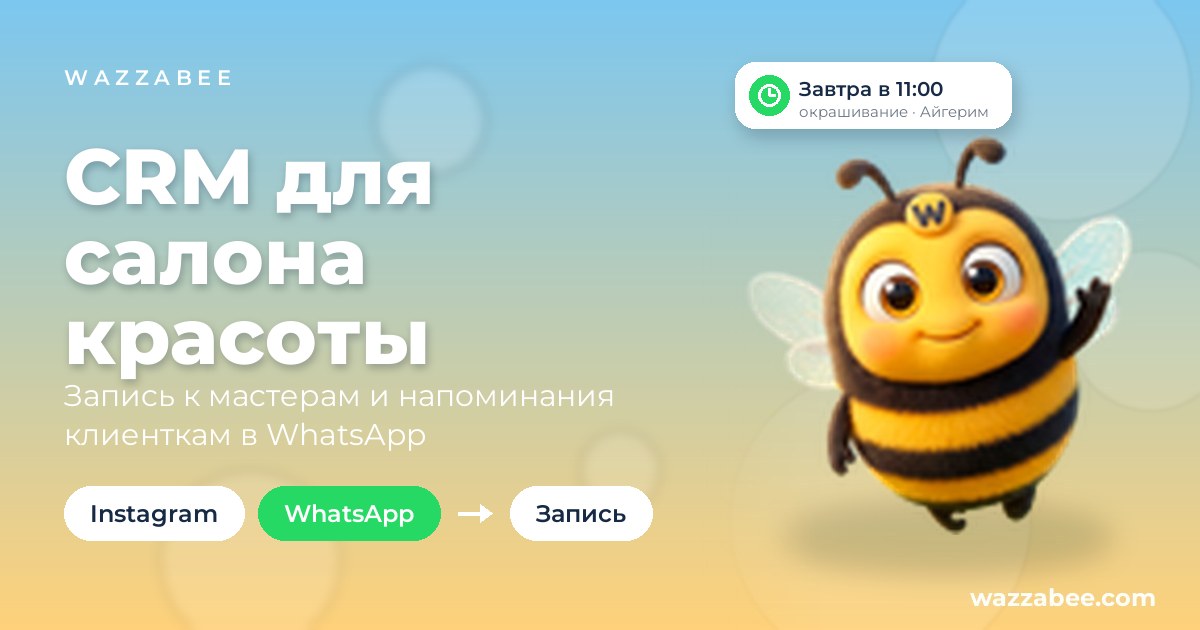
CRM for beauty salons: stylist bookings, client reminders and WhatsApp on one screen
✦ Key takeaways
- •Why does a beauty salon need a CRM?
- •How do Instagram and WhatsApp leads get into the CRM?
- •How does booking clients with stylists work?
- •What is stored in the client card?
- •How does the CRM remind clients about their visit?
A client messages you on Instagram at ten at night: "Do you have a free slot tomorrow?" The receptionist sees the message in the morning, and by then the slot has already gone empty. Bookings are kept in a notebook, clients write to Instagram DMs and to WhatsApp on different numbers, the stylist finds out about the visit at the last moment, and the salon's monthly earnings are counted by hand.
A CRM for a beauty salon brings bookings, clients, conversations and money together on one screen. Below we look at what such a system should include, how it works in WazzaBee CRM and what it costs.
Why does a beauty salon need a CRM?
A salon needs a CRM so that no lead gets lost, every stylist's free time is visible at a glance, and the owner works with numbers instead of gut feeling. While bookings live in a notebook or a spreadsheet and conversations sit on the receptionist's phone, the salon loses clients at three points: nobody replied in time, nobody reminded them about the visit, nobody brought them back after the first time. A CRM covers all three.
| Notebook, spreadsheet and DMs | WazzaBee CRM | |
|---|---|---|
| Leads from messengers | Scattered across phones and accounts | A message on WhatsApp or Instagram creates a client and a deal automatically |
| Booking with stylists | A notebook or spreadsheet, double bookings and empty slots | A calendar by stylist, free time is visible right away |
| Visit reminders | The receptionist has to remember | The CRM messages the client on WhatsApp a day or 2 hours before |
| Client history | In the stylist's head | Client card: favorite specialist, allergies, birthday, the full conversation |
| Revenue and workload | Counted at the end of the month | Visible on the Home page and in analytics |
How do Instagram and WhatsApp leads get into the CRM?
Messenger lines are connected in the WazzaBee dashboard, and in the CRM you turn on "Send to CRM" for the lines you need. From then on, every new client message creates a client and a deal at the "New lead" stage, and the conversation is visible right in the card. The receptionist replies from there too, without switching between a phone and a computer.
The salon setup already includes a robot: if a new client has not received a reply within an hour, it posts about it in the "Sales" team channel. That way, evening and weekend leads never go unanswered. And if you want clients to get replies at night too, you can add the AI Office with AI employees to the CRM.
Official WhatsApp is connected in 15 minutes; we explain how it differs from the regular app in our article "WhatsApp Business or WhatsApp Business API".
How does booking clients with stylists work?
In the "Bookings" section, each stylist has their own column in the calendar. Stylists are employees in your CRM: add an employee, and their column appears right away. At the top you can see how many bookings there are for the day, how many of them are unconfirmed and how much money is expected.
- Your own services and prices. Each service has a name, a duration and a price. Until you add your own, the niche's preset list is used: haircut 60 minutes, hair coloring 180 minutes, manicure 60 minutes, pedicure 90 minutes and more.
- Working hours and schedule step. Set the working day and a grid step of 15, 30 or 60 minutes. The CRM only offers time slots where the whole service fits.
- Visit statuses. "Unconfirmed", "Confirmed", "Visited", "No-show", "Cancelled". No-shows are not counted in expected revenue.
- Rescheduling in a second. Drag a booking with the mouse to another stylist or another time, and on a phone use the "Reschedule" button and pick a free slot.
If a client is booked with two stylists at the same time, for example for hair coloring and a manicure, the CRM does not block it, it just shows a hint.
What is stored in the client card?
In the "Salon and beauty" niche, the client card comes with "Birthday", "Favorite specialist" and "Allergies" fields out of the box. Next to them is the full history: messenger conversations, bookings, payments, tasks and calls. A new receptionist opens the card and immediately sees which stylist the client goes to and what was agreed. If you need more fields, add your own in the settings.
How does the CRM remind clients about their visit?
On its own, with no receptionist involved. In the "Robots" section, the salon has a "Specialist booking" column with two events: "Before the visit" and "After the visit". You choose a WhatsApp template and a time once, and from then on the CRM messages every booked client.
- Reminder before the visit. A day or 2 hours ahead, or at a time you set. The date, time, stylist and service are filled in automatically: "Just a reminder: tomorrow at 11:00 you are booked for hair coloring with Aigerim".
- Thank-you after the visit. 2 hours after the visit, the client gets a thank-you note and a request to leave a review. The message is sent only if the booking is marked "Visited".
- Invitation to come back. After 28 days or any period you choose: "time to refresh your color".
There will be no extra messages. If you reschedule a booking, the reminder moves to the new time. If the booking is cancelled or the client does not show up, the reminder is not sent. Each booking gets only one message from each robot. On official WhatsApp the reminder is sent as an approved template, so it reaches even clients who have not written in a long time.
Which robots work in a salon?
When you choose the niche, the CRM sets up the salon pipeline "New lead → Contacted → Thinking it over → Meeting → Invoice sent → Paid" and a set of robots for it:
| Stage | When | What the robot does |
|---|---|---|
| "New lead" | The client has had no reply for 1 hour | Posts in the "Sales" team channel |
| "Contacted" | The deal enters the stage | Creates a "Send the price list" task |
| "Thinking it over" | The deal has been stuck for 2 days | Messages the client in the messenger |
| "Thinking it over" | The deal has been stuck for 7 days | Changes the responsible employee |
| "Meeting" | The deal enters the stage | Creates "Arrange a meeting" and "Confirm the booking" tasks |
| "Invoice sent" | The deal has been stuck for 1 day | Creates a "Remind about payment" task |
Alongside them, the salon set includes three booking robots: a reminder a day before the visit, a thank-you 2 hours after and an invitation after 28 days. Preset robots come switched off, so nothing is sent to clients without your decision: you pick a line and a template, switch the robot on and edit the texts. Learn more in the documentation on ready-made niche robots.
What does the salon owner see?
The Home page shows in a minute what is happening today: new leads, bookings for the day, urgent tasks, revenue for the month and lead-to-payment conversion. In "Analytics" there is a "Specialist workload" report: how much of each stylist's working time is filled with bookings. It shows who needs more clients and who is fully booked, and where leads come from: Instagram, WhatsApp or other channels.
Permissions are set by role: a stylist sees only their own deals and cannot export the client base, while the receptionist sees everything.
How much does a CRM for a beauty salon cost?
The price is final, with no extra charges for onboarding. The first 7 days of the CRM are free, and the trial period starts when you open the CRM and choose a niche.
| What's included | Terms |
|---|---|
| WazzaBee CRM subscription | 30,$0 per month |
| Users | Owner and 3 employees |
| Each additional stylist or receptionist | 3,$0 per month |
| Salon niche: pipeline, fields, robots, services | included |
| File storage | 50 GB |
| Onboarding | $0 |
| Trial period | 7 days |
30,$0 a month is less than 1,$0 a day: that is roughly what a single saved booking brings in. Messenger lines are paid separately at their own rates. We cover all CRM features for any business in our article "CRM with WhatsApp for business".
How do you launch the CRM in a salon?
- Sign up at wazzabee.com and connect your lines: official WhatsApp and Instagram.
- In the dashboard, open "Activation", find the "WazzaBee CRM" card and click "Try the CRM".
- Choose the "Salon and beauty" niche and click "Get started".
- Add your stylists in "Settings → Team and permissions": each of them gets a column in the bookings calendar.
- In "Settings → Bookings", add your services with prices and your working hours.
- Turn on the robots you need and move your client base from Excel via "Settings → Data transfer".
Step-by-step guides: the bookings calendar and booking statuses and rescheduling.
FAQ

An omnichannel platform that connects messengers to your CRM. We link WhatsApp, Telegram, Instagram and 5 more channels to your business in Kazakhstan.
You may also like
CRM with WhatsApp for businesses in Kazakhstan: how WazzaBee CRM turns chats into sales
Leads from WhatsApp, Instagram, Telegram and OLX become deals on their own, robots remind you of the next step, and the head of the business sees revenue and conversion on one screen. What WazzaBee CRM can do, what it costs and how to get started in one evening.

WhatsApp Business or WhatsApp Business API: which one should a business choose in 2026
The free app or the official WhatsApp Business API: how they differ, when the app is enough, how to keep your number on your phone with Coexistence and what the API costs in Kazakhstan. Connection in 15 minutes.
AI manager for WhatsApp: how the WazzaBee AI Office answers customers 24/7
WazzaBee AI employees answer customers on WhatsApp, Instagram, Telegram and OLX using your company knowledge, call in a manager when a person is needed and send a report every evening. How it works, what it costs and how to launch it without risk.