 WazzaBee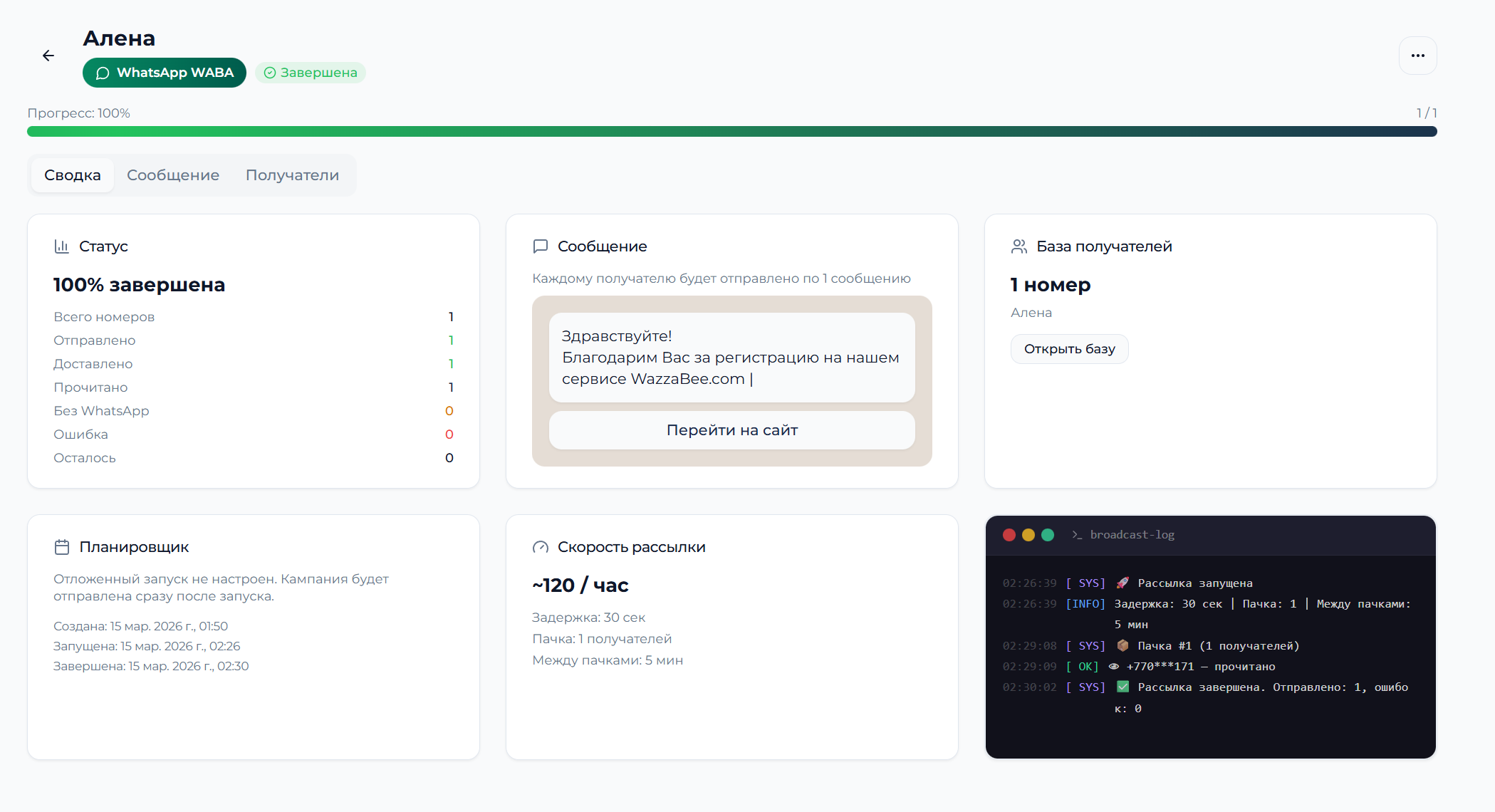
WhatsApp Broadcasts to Your Own Contact List: The Complete Business Guide
✦ Key takeaways
- •What a WhatsApp broadcast to your own list really is
- •Two ways to run a WhatsApp broadcast
- •Getting your contact list ready
- •Writing message templates that work
- •Setting up a broadcast in WazzaBee
What a WhatsApp broadcast to your own list really is
A WhatsApp broadcast to your own list means sending messages to contacts who gave you their phone numbers voluntarily and agreed to hear from your company. People read campaigns like these more readily than email.
The one thing that separates them from spam is consent. Your list can be online store buyers, people who subscribed to your promotions, loyalty program members or anyone who filled in a form on your site.
WhatsApp broadcasts to your own list outperform traditional email campaigns. The whole game comes down to two things: smart segmentation and messages that feel personal.
WazzaBee expert
Two ways to run a WhatsApp broadcast
There are two main ways to send bulk messages on WhatsApp: through the official Business API, or by connecting a personal number. Each comes with its own rules, limits and price tag.
WhatsApp Business API (WABA)
Meta's official API for business. It requires company verification and pre-approved message templates (HSM, or Highly Structured Messages). In return you can message an unlimited number of customers who wrote to your WhatsApp before or opted in.
What WABA gives you:
A blue verification badge on your business account
No cap on broadcast volume
Official support from Meta
Integration with CRM systems
Detailed delivery analytics
What WABA asks in return:
Only approved message templates
Business verification by Meta; the connection itself takes 15 minutes
Meta's per-message pricing: from $0.0286 per message
Why not to broadcast through a QR code
An ordinary number connected by QR code works around Meta's rules. Meta bans such numbers for bulk sending, and the contact list and the whole chat history go with the number. The right way to broadcast is the official WhatsApp Business API.
Getting your contact list ready
The quality of your list decides the fate of the campaign. It should hold only the numbers of customers who agreed to hear from you and who actually use WhatsApp.
Where a healthy list comes from
Organic sources:
Online store buyers who ticked the consent box
People subscribed to promos and discounts
Customers who wrote in through the WhatsApp widget
Loyalty program members
Office walk-ins and event attendees
What the database itself must look like:
Numbers in international format (+7XXXXXXXXXX)
Fresh contacts, no older than 6 months
Documented consent to receive messages
Segmentation by interests and demographics
Import formats WazzaBee accepts
WazzaBee imports contacts from CSV and Excel files. Two fields are mandatory: phone number and contact name. Everything else is fuel for personalization: city, age, last purchase, total order value.
| Field | Format | Example | Required |
|---|---|---|---|
| Phone number | +7XXXXXXXXXX | +77012345678 | Yes |
| Name | Text | Assel | Yes |
| City | Text | Almaty | No |
| Last purchase | YYYY-MM-DD | 2024-01-15 | No |
| Total order value | Number | 45000 | No |
Segmented broadcasts perform better. Split your list by gender, age, city and purchase history, then send each group an offer that actually speaks to them.
WazzaBee expert
Writing message templates that work
The template makes or breaks the campaign. WhatsApp Business API requires pre-approved templates; templates support variables for personalization.
The anatomy of a message that gets a reply
1. Address the person by name
Open with the customer's name. That alone lifts open rates.
2. Lead with the value
Say what is in it for the customer within the first 2-3 words. Skip vague openers like "Special offer".
3. Give the specifics
Name the exact numbers: the size of the discount, the deadline, how many units are left. Scarcity moves people.
4. Tell them what to do next
One clear instruction, built on an active verb: "Order", "Call", "Tap here".
Template examples for different industries
Clothing store:
"Hi {name}! 👋 Your size {size} is back in stock! Jeans at 40% off until tomorrow only. Just 3 pairs left → wazzabee.com/sale"
Dental clinic:
"{name}, a reminder about your hygiene appointment tomorrow at 14:00. Reply to confirm, or reschedule here → clinic.kz/reschedule"
Restaurant:
"🍕 {name}, pizza of the day: Margherita for $4.40 instead of $6.61! Free delivery on orders placed before 21:00. Order here: pizzahouse.kz"
Setting up a broadcast in WazzaBee
WazzaBee gives you everything you need to build, configure and send bulk WhatsApp campaigns. The flow is simple: connect the account, import the list, create a template, launch.
Launching a broadcast step by step
Step 1: Connect WhatsApp
Sign up at wazzabee.com
Pick the WABA ENTERPRISE plan ($68/month)
Connect WhatsApp Business API
Wait for account verification: for WABA it takes 15 minutes
Step 2: Import your contact list
Open the Audiences section
Click Create audience
Upload your CSV or Excel file of contacts
Map the columns to the system fields
Check that everything imported correctly
Step 3: Create the template
Open Message templates
Create a new template
Add the variables {name}, {city}, {product}
For WABA: submit the template to Meta for review
Wait for approval: Meta sets the review time
Step 4: Launch the broadcast
Choose Bulk broadcast
Select the audience and the template
Set the sending schedule
Set a messages-per-hour cap
Start the campaign
What a WhatsApp broadcast costs
The price depends on how you connect, how big your list is and what kind of messages you send. WazzaBee keeps its pricing transparent, with no hidden fees.
WazzaBee plans for broadcasts
| Plan | Price/month | Conversation limit | Bulk broadcasts |
|---|---|---|---|
| WABA ENTERPRISE | $68 | Unlimited | Unlimited |
What WABA adds on top
With WhatsApp Business API, Meta charges per message:
Marketing messages: $0.086 each (promos, new arrivals, content)
Utility messages: $0.0286 each (order updates, reminders)
Authentication: $0.0286 each (verification codes)
Service messages: $0.0286 each (replies to incoming messages within 24 hours); an incoming message costs $0.0021
A worked example:
A promotional broadcast to 5000 contacts over WABA:
WazzaBee subscription: $68/month
Meta messages: 5000 × $0.086 = $430.0375
Total: the subscription plus $430.0375 for messages
For broadcasts to your own list choose the official WhatsApp Business API: Meta bans ordinary QR numbers for bulk sending, together with the contact list and chat history.
WazzaBee expert
Analytics: the numbers that matter
Tracking results is how you tighten campaigns and grow ROI. WazzaBee reports detailed statistics on every campaign you send.
Key performance metrics
Technical metrics:
Delivery Rate: share of messages delivered
Read Rate: share of messages read
Response Rate: share of recipients who replied
Bounce Rate: share of messages that failed
Business metrics:
Click-through Rate (CTR): share of recipients who clicked your link
Conversion Rate: share who completed the target action
Revenue per Message: revenue earned per message sent
Return on Ad Spend (ROAS): return on advertising spend
The analytics tools inside WazzaBee
The analytics panel shows campaign results in real time:
Delivery timeline chart
Status of every single message (delivered / read / failed)
Your most engaged recipients
Reasons behind failed deliveries
Export to Excel for deeper analysis
The legal side of broadcasts in Kazakhstan
Broadcasting to your customer list has to comply with Kazakhstan's personal data and anti-spam legislation. Playing by the rules protects your business from fines and account bans.
What Kazakhstan law requires
Law on Personal Data and Its Protection:
Written consent to process the phone number
A stated purpose for using the personal data
The right to withdraw consent at any moment
Consent records kept for as long as the data is processed
Law on Communications (anti-spam):
No messaging without the recipient's consent
The sender must be identified
An unsubscribe option must be available
Best practices for staying compliant
1. Document every consent
Keep screenshots of ticked boxes, call recordings and written customer statements.
2. Be an honest sender
Name your company in every message. Never send from an anonymous, unidentified number.
3. Make opting out easy
Add an unsubscribe line to your messages: "Reply STOP to unsubscribe".
4. Keep the list clean
Regularly clear out inactive contacts and anyone who has opted out.
Connecting broadcasts to your CRM
Wiring WhatsApp broadcasts into your CRM automates the marketing routine and makes messages far more personal. WazzaBee integrates with the CRM systems businesses actually use.
Supported CRM integrations
Bitrix24:
OAuth authorization through the marketplace
Leads created automatically from WhatsApp chats
Messages sent straight from the customer card
Full conversation history synced
Trigger-based broadcasts
amoCRM:
Integration through the Chats API
WhatsApp chats linked to deals
Contacts created automatically
Sales pipelines configured around chats
Conversion reports from chat to deal
Universal REST API:
Connect any CRM through the API
Sending messages and templates, history, contacts and webhooks
Webhooks for receiving events
API key authorization (Authorization: Bearer header)
Documentation: docs.wazzabee.com/en/api
Automated broadcast scenarios
E-commerce scenarios:
Abandoned cart reminder 2 hours later
Order confirmation with the tracking number
Review request 7 days after delivery
Personal birthday discounts
Back-in-stock alerts for wishlist items
B2B scenarios:
Meeting reminder 1 day ahead
Sending over a proposal
Contract renewal notice 30 days out
Invitations to a webinar or event
Squeezing more out of every campaign
Better WhatsApp results come from testing, not guessing. Study the numbers after each campaign and roll the winners into the next one.
A/B testing your messages
What is worth testing:
The opening line (the first 3-5 words)
Send time (morning / afternoon / evening)
The type of call to action
Emoji or no emoji
Message length
Link format (shortened or full)
How to run the test:
Split the list into 2 equal groups
Send each group a different version
Measure CTR and conversion after 24 hours
Roll the winner out to the main campaign
Write down the results for future broadcasts
The best time to hit send
Research points to these sending windows for WhatsApp campaigns in Kazakhstan:
| Industry | Best time | Worst time |
|---|---|---|
| B2C (retail) | 18:00-21:00 | 06:00-09:00 |
| B2B (services) | 10:00-12:00 | 22:00-06:00 |
| Restaurants | 11:00-13:00, 17:00-19:00 | 14:00-16:00 |
| Healthcare | 09:00-11:00, 16:00-18:00 | 12:00-14:00 |
Personalization and segmentation
Levels of personalization:
Basic: the customer's name in the greeting
Demographic: age, gender, city
Behavioral: purchase history, preferences
Contextual: today's weather, events, holidays
How to segment well:
New customers (first purchase less than 30 days ago)
Active customers (bought within the last 3 months)
Dormant customers (no purchase for 3-12 months)
VIP customers (spend 3+ times the average)
Geography (Almaty, Astana, the regions)
A WhatsApp broadcast to your own list is one of the sharpest direct marketing tools available. Set it up properly, stay within the law, and these campaigns work noticeably better than email.
WazzaBee hands you every piece of the puzzle for professional WhatsApp campaigns, from importing the list to reading the results in detail. Pick the plan that fits, upload your contacts and launch your first campaign today.
Start with a 7-day trial of WazzaBee and see for yourself what WhatsApp marketing does for your business. Signing up at wazzabee.com takes 2 minutes.
FAQ

An omnichannel platform that connects messengers to your CRM. We link WhatsApp, Telegram, Instagram and 5 more channels to your business in Kazakhstan.
You may also like
How to reduce the risk of a WhatsApp Business ban during bulk messaging
What to choose for bulk messaging, why WhatsApp bans numbers for broadcasts and which Meta rules actually reduce the risk. Official broadcast pricing and how to check the results.
WhatsApp Broadcasts in Kazakhstan: Pricing, Playbooks and Real Numbers for 2026
A practical guide to WhatsApp broadcasts for Kazakh business: pricing in tenge from 29 900 ₸, industry playbooks for e-commerce, clinics, restaurants and banks, the best send times for Almaty and Astana, and KZ / RU / EN support in WazzaBee.
How to choose a WhatsApp Business API provider in Kazakhstan: 2026 guide and a 10-question checklist
How to choose a WhatsApp Business API provider in Kazakhstan: provider types, what the real WABA price is made of, a 10-question checklist before paying, a monthly cost example and five places where companies overpay.