 WazzaBee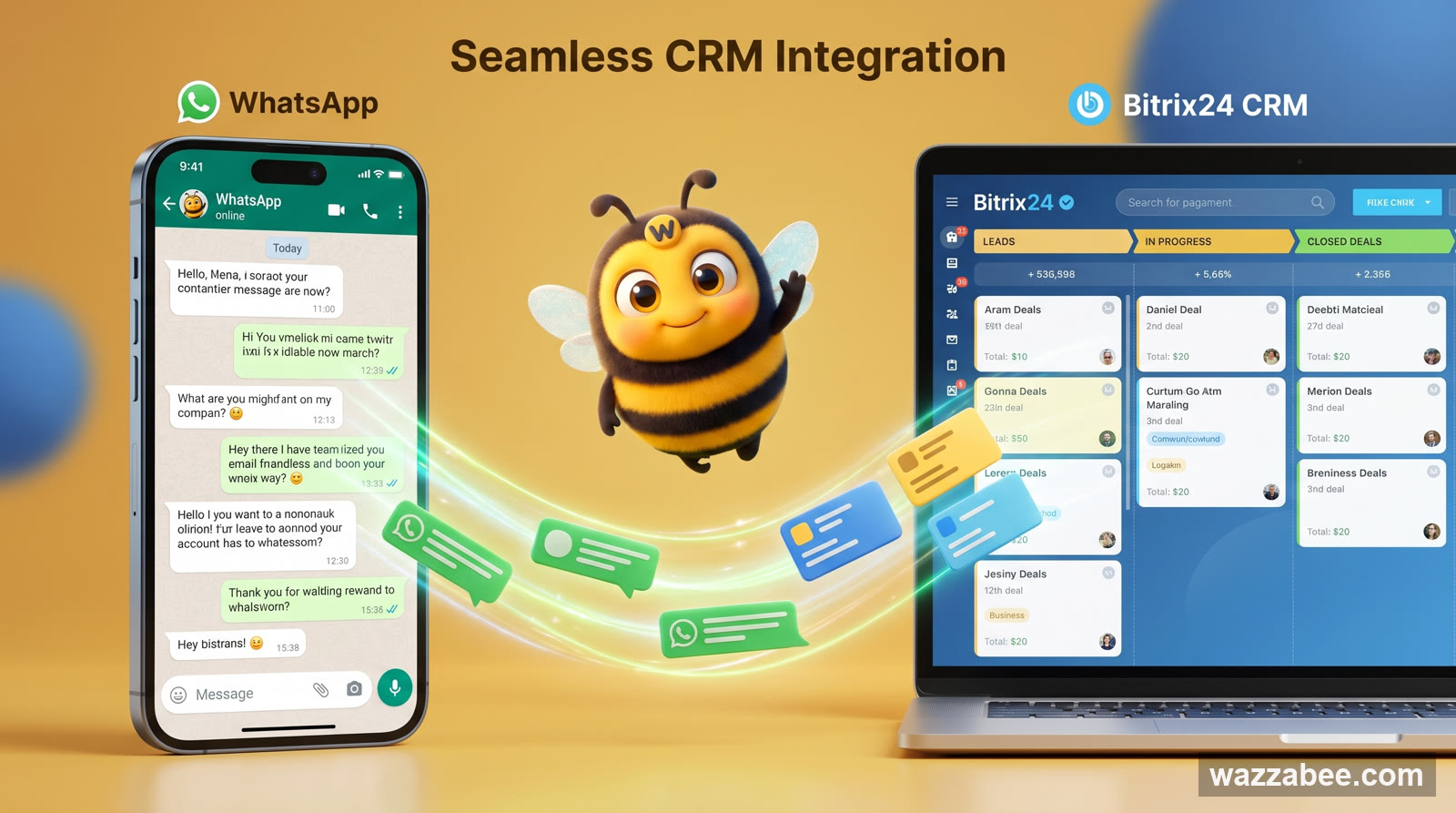
WhatsApp integration with Bitrix24: how to connect it and handle all chats in the CRM
✦ Key takeaways
- •How do I connect WhatsApp to Bitrix24?
- •Why conversations that bypass the CRM cost you money
- •What WhatsApp integration with Bitrix24 gives you
- •Which WhatsApp to connect to Bitrix24: only the official one (WABA)
- •How it works under the hood: Contact Center and Open Channels
How do I connect WhatsApp to Bitrix24?
Connect the official WhatsApp (WABA) in WazzaBee, which takes 15 minutes, then install the WazzaBee app from Bitrix24 Marketplace and link the line to an Open Channel in the Contact Center. The Bitrix24 integration is included in the $67 monthly line subscription, so you don't pay extra for the connector.
Your agents chat with customers in WhatsApp from their personal phones, while Bitrix24 lives a life of its own: deals, tasks, the pipeline. As a result, half of the conversations never reach the CRM, when an employee leaves the customer history leaves with them, and the manager can't see who wrote what to whom. WhatsApp integration with Bitrix24 closes this gap: every WhatsApp conversation lands in the Bitrix24 Contact Center automatically, turns into leads and deals and stays with the company for good. In this article: how it works, what it gives businesses in Kazakhstan, and how to connect the official WhatsApp in 15 minutes and link it to Bitrix24 through WazzaBee.
Why conversations that bypass the CRM cost you money
In Kazakhstan, WhatsApp is no longer "one of the channels". It is the main way customers reach a business. Here is what happens when it isn't connected to Bitrix24:
Leads get lost. A customer messaged an agent on WhatsApp in the evening, the agent forgot, and the message got buried. It isn't in the CRM, so as far as the business is concerned it never happened.
History leaves with the employee. An agent quits, and the conversations, agreements and customer contacts that lived only on their phone go with them.
No oversight. The manager can't see how fast the team replies, what they promise customers, or whether someone is leaking the customer base.
Double work. Agents copy data from WhatsApp into the deal card by hand: lost time, mistakes, frustration.
The integration removes all of this at once: WhatsApp becomes a full channel inside Bitrix24 instead of a separate app on somebody's phone.
The rule is simple: if a conversation with a customer isn't in the CRM, it doesn't exist for the business. WhatsApp integration with Bitrix24 makes every conversation a company asset automatically, not an employee's private chat.
WazzaBee expert
What WhatsApp integration with Bitrix24 gives you
Once connected through WazzaBee, you get a single "messenger + CRM" setup that runs on its own:
| Feature | What it means in practice |
|---|---|
| Conversations in the Contact Center | WhatsApp messages arrive straight in Bitrix24, and agents reply without leaving the CRM |
| Automatic leads and deals | A new inquiry automatically creates a lead or deal according to the Open Channel rules |
| Single customer card | Messages, calls, deals and tasks for the customer in one place |
| Routing to agents | Inquiries are distributed among employees and Contact Center queues |
| Team work on one number | Several agents reply from one WhatsApp without passing a phone around |
| History kept for good | All messages are stored in Bitrix24 and stay when an employee leaves |
| Robots and automation | Auto-replies, templates and pipeline scenarios trigger on incoming WhatsApp messages |
Which WhatsApp to connect to Bitrix24: only the official one (WABA)
Before setting up the integration, it is important to pick the right channel type. There are two options, and only one suits a business:
Unofficial connection methods: the regular WhatsApp app linked to a service in breach of the rules. Meta treats this as a violation and bans such numbers, especially when they send broadcasts. Lose the number and you lose every customer tied to it, along with the history in your CRM.
Official WhatsApp Business API (WABA): Meta's own certified channel. Legal and stable, with the right to message first using approved templates, broadcasts and the option to apply for verification (the blue checkmark). This is what we recommend for Bitrix24 integration: it is the only safe way to work with customers reliably.
What WABA is and how to connect it is covered in detail in the article "Official WhatsApp for business: what WABA is". Saving money on an unofficial connection for the sake of CRM integration is a bad idea: a banned number wipes out the whole pipeline you've built.
How it works under the hood: Contact Center and Open Channels
So it doesn't feel like magic, here is a short explanation of the mechanics: they are transparent and standard for Bitrix24.
WazzaBee connects to Bitrix24 as an official Contact Center connector. Bitrix24 has a tool called "Open Channels". This is exactly where inquiries from external messengers come in and get distributed among agents according to set rules. WazzaBee links your WhatsApp channel to the selected Open Channel, and from there everything follows the Bitrix24 route:
The customer writes on WhatsApp.
WazzaBee receives the message and passes it to the Bitrix24 Contact Center via the Open Channel.
Following the channel rules, Bitrix24 creates a lead or deal, finds or creates the contact and assigns an agent.
The agent replies right from Bitrix24, and the reply goes back to the customer on WhatsApp.
No grey schemes: the integration runs on the official APIs of both WhatsApp and Bitrix24.
How to connect WhatsApp to Bitrix24 through WazzaBee: step by step
The official line is connected in 15 minutes, and the Bitrix24 integration is set up in the same dashboard. The steps and button names below match the Bitrix24 connection guide in the documentation.
Step 1. Connect the official WhatsApp (WABA) in WazzaBee
Sign up for WazzaBee, open the "Channels" section, click "Add line", choose WhatsApp and the WABA (Official API) type. Enter a channel name, click "Log in with Facebook", complete the registration in the Meta window, confirm the number with a code and select it from the list. Full details with screenshots are in the WABA guide. We don't recommend unofficial connection methods for CRM integration: Meta bans such numbers, and the customer base goes with the number.
Step 2. Install the WazzaBee app in Bitrix24
The app has passed official moderation and is published in Bitrix24 Marketplace. In the WazzaBee dashboard, open "Connectors", click the "Bitrix24" card, then "Open Bitrix24 Market" and install the app on your portal. Go back to the dashboard and click "App installed". Open the WazzaBee app inside Bitrix24, allow access to CRM data and click "App opened".
Step 3. Link the portal to WazzaBee
Enter the portal address without https://, for example mycompany.bitrix24.kz, and click "Connect". On the Bitrix24 authorization page, allow access. When you see "You have connected the integration", click "Go to settings". There is nothing to write in code by hand.
Step 4. Create an Open Channel in Bitrix24
In Bitrix24, open Contact Center → Open Channels and create a channel (or use an existing one). This is where you set the rules: which pipeline deals go to, which agents get the inquiries, the welcome message and working hours.
Step 5. Set up the WhatsApp line and link it to the Open Channel
On the settings page in WazzaBee, turn on "Enable for Bitrix24" for the WhatsApp line, choose what to create (a deal or a lead), the pipeline, the initial stage and the routing: first to reply or in turn. Then turn on "Connect to Contact Center" and choose the Open Channel from step 4. If the lists are empty, click "Refresh data". Use the "Set up roles" button to give employees permissions: auditor, operator, supervisor, requests.
Step 6. Test it
Send a message to your WhatsApp number from another phone. It should appear in the Bitrix24 Contact Center, and a lead or deal should be created for it. Reply from Bitrix24, and the reply will arrive on WhatsApp. Done, the integration works. A short version of this guide is in the article "Bitrix24 with WhatsApp: integration in 15 minutes".
Tip. Set up the Open Channel rules in advance: the pipeline, responsible agents and an auto-reply for after-hours. Then everything lands in the right place from the very first inquiry, and no customer is left without a reply at night.
Official WhatsApp (WABA) + Bitrix24: getting the most out of it
The integration shows its full potential on the official channel. With WABA inside Bitrix24 you can:
Message the customer first from the pipeline: for example, the "WazzaBee: send WhatsApp template (WABA)" robot sends an order confirmation template when a deal moves to the right stage and logs the send in the deal timeline. Setup is described in the WazzaBee robot guide.
Run legal broadcasts to your customer base without risking a ban, using approved templates (HSM). How this works is explained in the article "WhatsApp HSM templates".
Apply for verification: Meta grants the blue checkmark under its own rules, and customers trust you more with it.
When work with a customer is finished, the conversation can be closed automatically: a Bitrix24 robot at the final stage sends the phrase #close_dialog, WazzaBee closes the conversation in the Open Channel, and the customer's next inquiry creates a new deal. How to set this up is described in the conversation auto-close guide.
Can you send WhatsApp broadcasts from Bitrix24?
A mass broadcast to your base is launched in the WazzaBee dashboard, in the "Broadcasts" section, while from Bitrix24 the WazzaBee robot sends an approved template to one customer when a deal moves to the right stage. Each broadcast message costs $0.086 and is deducted from the line balance.
How to launch a broadcast to your base:
On the broadcasts page, click "New".
Choose the WhatsApp line and click "Next".
Choose an approved template: the service sends it in the language Meta approved it in.
Choose the audience and set what to insert into the template: name, phone or a column from the file.
Click "Create campaign", then "Launch". The broadcast won't start if the line balance is below $0.22.
Mass broadcasts from a CRM integration are covered in detail in "Official WhatsApp broadcasts via WABA".
More than WhatsApp: one Contact Center for every messenger
WazzaBee connects more than WhatsApp to Bitrix24. You can bring Telegram, Instagram Direct and other channels into the same Contact Center and handle everything from a single CRM window. An overview of this multichannel setup is in the article "CRM integration with messengers: WhatsApp, Telegram, Instagram Direct".
How much does WhatsApp integration with Bitrix24 cost?
The Bitrix24 integration itself is included in the WazzaBee line subscription: there is no separate fee for the connector or for installing the app. You pay for the official WhatsApp (WABA) line, $68 per month, plus messages, which Meta charges under its own rules. Payment is in tenge, from the line balance.
| Item | Price |
|---|---|
| WABA line connection | $0 |
| Line subscription | $68 per month |
| WazzaBee app in Bitrix24 | Included in the subscription |
| Broadcast (marketing template) | $0.086 per message |
| Order or booking notification | $0.0286 per message |
| Reply within the 24-hour window | First 1000 per month per number at the minimum price, then $0.0286 |
| Incoming message | $0.0021 |
The line subscription also includes a dashboard with chats, a shared team chat, the owner and 3 employees (then $6.69 per seat), broadcasts to your base (the messages themselves are paid), amoCRM integration, a public API and webhooks. Since 1 October 2026, Kazakhstan has been a separate Meta market, and replies within the 24-hour window are now paid too. A detailed price breakdown is in the article "How much WhatsApp Business API costs in Kazakhstan". On the Bitrix24 side, even the free plan will do: the integration works on it.
Common problems and how to fix them
| What happened | What to do |
|---|---|
| Messages don't arrive in Bitrix24 | Check that the channel is linked to an Open Channel and that the "Connect to Contact Center" toggle is on in WazzaBee. |
| "Bitrix24 needs to be reconnected" | The portal access has expired: click "Reconnect Bitrix24" on the settings page and authorize again. |
| No Open Channels in the list | Create a channel in Bitrix24: Contact Center → Open Channels, then click "Refresh data" in WazzaBee. |
| Inquiries go to the wrong agents | Set up routing and responsible agents in the Open Channel rules in Bitrix24. |
| The number is at risk of a ban | Most likely the number is connected in an unofficial way. Switch to the official WABA: if you follow Meta's rules, the risk of a ban is low. |
Summary
WhatsApp integration with Bitrix24 turns scattered conversations on personal phones into a managed company asset: conversations reach the Contact Center, automatically create leads and deals, are routed to agents and are kept for good. For reliable work, connect the official WhatsApp channel (WABA): if you follow Meta's rules, the risk of a ban is low, unlike with unofficial connection methods. The line is connected in 15 minutes, the Bitrix24 integration is set up in the same dashboard without coding, and the integration itself is included in the subscription: you pay for the WhatsApp line and messages in tenge.
If you specifically need the official channel and automation inside the pipeline (templates sent by a robot at a deal stage, WazzaBee fields in cards and work with Open Channels), see the detailed breakdown: WhatsApp Business API integration with Bitrix24.
FAQ

An omnichannel platform that connects messengers to your CRM. We link WhatsApp, Telegram, Instagram and 5 more channels to your business in Kazakhstan.
You may also like
WhatsApp HSM templates in WazzaBee: reaching customers outside the 24-hour window
How clinics, medical centers and service companies use WhatsApp HSM templates in WazzaBee: lab results sent as a link, reminders, invoices, Bitrix24 and CRM robots.
WhatsApp verification codes via API: how to send OTP instead of SMS
How to send one-time login and confirmation codes in WhatsApp: an Authentication template, an API request example, the price of one code, delivery statuses and what to check if a code did not arrive.
How to create a WhatsApp QR code and link for business: 2026 guide
How to create a WhatsApp link and QR code for business: number format for wa.me, a ready message, three ways to make a QR code, where to place them and how to count visits.