 WazzaBee
CRM with WhatsApp for businesses in Kazakhstan: how WazzaBee CRM turns chats into sales
✦ Key takeaways
- •What is WazzaBee CRM?
- •Why is a CRM better than a spreadsheet and chats on a phone?
- •How do WhatsApp leads turn into deals?
- •How do the sales pipeline and robots work?
- •Will the CRM fit my business?
A manager quits and takes your customers with them, right there on their phone. Sound familiar? As long as leads live in employees' WhatsApp, the head of the business does not know the essentials: how many people wrote this week, who never got a reply, who has been "thinking it over" for three weeks and how much money is stuck between the first message and payment.
WazzaBee CRM brings all of this onto one screen. A customer message from WhatsApp, Instagram, Telegram or OLX turns into a deal on its own, the conversation sits right in the deal card, robots remind you of the next step, and the Home page shows revenue and conversion. Below we explain how the CRM works, how it differs from a spreadsheet and boxed software, and what it costs.
What is WazzaBee CRM?
WazzaBee CRM is a sales management system that works hand in hand with messengers. It keeps deals, customer conversations, appointment bookings, tasks, documents, calls and analytics in one place. The CRM opens in a browser on a computer or a phone, so there is nothing to install.
The main difference from a typical CRM: messengers are not bolted on from the side, they are built in. Lines are connected in the WazzaBee dashboard, and a new message to any of them instantly creates a customer and a deal at the "New lead" stage. Official WhatsApp is connected in 15 minutes; we explain how in our step-by-step guide.
Why is a CRM better than a spreadsheet and chats on a phone?
A spreadsheet and a manager's phone work while leads are few. When dozens come in every day, leads start slipping through the cracks, and the head of the business is the last to find out.
| Manager's phone and a spreadsheet | WazzaBee CRM | |
|---|---|---|
| Where leads come from | The manager copies them by hand, if they remember | A message on WhatsApp, Instagram, Telegram or OLX creates a deal automatically |
| Where the conversation lives | On the employee's personal phone | In the deal card, owned by the company |
| If a manager leaves | Customers and history leave with them | Everything stays, deals are reassigned to someone else |
| Next step with the customer | In the manager's head | Tasks and robots send reminders automatically |
| Revenue and conversion | Counted by hand at the end of the month | Visible on the Home page every day |
| Why they did not buy | Nobody knows | Lost deals with reasons in analytics |
How do WhatsApp leads turn into deals?
You enable a line in "Settings → Channels and Meta" with the "Send to CRM" toggle. From then on, every new customer message to that line creates a customer and a deal at the "New lead" stage, and the whole conversation is visible right in the deal. The manager replies to the customer from the card without switching between windows.
All dashboard lines work: official WhatsApp, Telegram, Instagram, Facebook Messenger and OLX. Calls also land in the card together with call recordings, so you can see the customer's full history: what they wrote, what you discussed and what was promised.
If you already work in Bitrix24 or amoCRM, WhatsApp can be connected there too: see our articles on Bitrix24 integration and amoCRM integration. One line can send messages to that CRM and to WazzaBee CRM at the same time.
How do the sales pipeline and robots work?
Deals sit on a board by stage, for example "New lead → Contacted → Thinking it over → Meeting → Invoice sent → Paid". Cards are dragged with a mouse, or with a finger on a phone. You can have several pipelines, and stages and fields are adjusted to your process. When a deal is paid, the CRM asks how the customer paid, and when it is lost, it asks for a reason: later these show you where you are losing customers.
Robots take over the routine. They fire on stage events and take the next step themselves:
- a new customer writes, and a robot creates a deal;
- a call is missed, and a "Call the client back" task appears;
- a deal has been stuck in "Thinking it over" for two days, and a robot messages the customer on WhatsApp;
- an invoice was sent a day ago, and the manager gets a "Remind about payment" task.
Robots from a niche set arrive switched off, so nothing goes out to customers without your decision: you turn on the ones you need and edit the texts to suit your business.
Will the CRM fit my business?
On first login the CRM asks what your business does and immediately sets up the pipeline, customer card fields and robots for your niche. There are 16 ready-made niches:
| Sector | Niches |
|---|---|
| Beauty and health | Salon and beauty, clinic, dentistry, veterinary clinic, fitness and sports |
| Services and projects | Car service, construction and renovation, custom furniture, lawyers and consulting, marketing and advertising |
| Sales and service | Real estate, travel, freight transport, education and learning centres, healthy meal delivery |
| Any other business | Sales and services: a universal pipeline from lead to payment |
If customers book appointments with specialists, the CRM has a "Bookings" section: a calendar for each specialist, your own services with price and duration, visit confirmation and rescheduling. Invoices, contracts and certificates of completed work are created from a deal in a couple of clicks: the document fills itself in with the customer, the amount and your company details.
What does the head of the business see?
In a minute, the CRM Home page shows what is happening today: how many new leads came in, how many deals are in progress, revenue for the month and lead-to-payment conversion, with the percentage change versus the previous period. Next to them are urgent tasks and today's bookings.
The "Analytics" section has reports for any period: revenue, pipeline, lead sources, each manager's performance, specialist workload and reasons for lost deals. So you see not only how much you sold, but also where the money came from and where customers drop off.
Permissions are set by role: a manager sees only their own deals and cannot export the database, while an administrator sees everything. Employees are shared with your WazzaBee dashboard team, so one person works both in chats and in the CRM.
How much does WazzaBee CRM cost?
The price is final: what you see is exactly what you are invoiced. The first 7 days of the CRM are free, and the trial starts when you open the CRM and choose a niche.
| What's included | Terms |
|---|---|
| CRM subscription | 30,$0 per month |
| Users | Owner and 3 employees |
| Each additional employee seat | 3,$0 per month |
| Storage for files and call recordings | 50 GB, extra space at $0.23 per 1 GB per month |
| Ready-made niche: pipeline, fields, robots | included |
| Import from Bitrix24, amoCRM, Excel and CSV | included, you do it yourself in the settings |
| Onboarding | $0: choose a niche and the CRM is ready to work |
| Trial period | 7 days |
30,$0 a month is less than 1,$0 a day. One saved lead usually pays for the whole month. Communication lines (official WhatsApp and others) are paid separately at their own rates, and if you need AI to answer customers at night, you can add the AI Office with AI employees to the CRM.
How do I get started with WazzaBee CRM?
- Sign up at wazzabee.com and connect your lines: official WhatsApp, Instagram, Telegram or OLX.
- In the dashboard, open "Activation", find the "WazzaBee CRM" card and click "Try the CRM".
- Choose your business niche and click "Get started". The CRM will set up the pipeline, fields and robots.
- In "Settings → Channels and Meta", turn on "Send to CRM" for the lines you need.
- If your deals are already kept in another system, upload them in "Settings → Data transfer".
- Add employees and roles, turn on the robots you need and work with real leads for the full 7 days.
Detailed instructions for each section are in the documentation: WazzaBee CRM guide, logging in and first launch and how to set up robots.
Frequently asked questions
Do I need to install any software?
No. WazzaBee CRM runs in a browser on a computer or a phone. You log in through your WazzaBee dashboard, with no separate sign-up or password.
Which messengers work in the CRM?
Official WhatsApp, Telegram, Instagram, Facebook Messenger and OLX. You choose which lines create leads in the CRM.
Can I move deals from Bitrix24 or amoCRM?
Yes. In "Settings → Data transfer" you can upload deals from Bitrix24, from an amoCRM export and from Excel or CSV files. Before the import, the CRM shows you what the result will look like.
How many employees can work in the CRM?
The subscription includes the owner and 3 employees. Each additional seat costs 3,$0 per month. Employees are shared with the dashboard team, so you pay for each person only once.
What happens after the 7 free days?
If you have paid for the subscription, everything keeps working. If not, the CRM switches to view-only mode: your data stays visible, but changes are not saved. If it is not a fit, simply do not renew.
Does the CRM have artificial intelligence?
Yes, as a separate module. The AI Office answers customers in chats using your company's knowledge and hands complex questions over to a manager. Its first 7 days are free too.

An omnichannel platform that connects messengers to your CRM. We link WhatsApp, Telegram, Instagram and 5 more channels to your business in Kazakhstan.
You may also like
Интеграция WhatsApp Business API с Битрикс24: чаты, сделки и роботы воронки
Официальный WhatsApp внутри Битрикс24: переписка попадает в карточку клиента, лид и сделка создаются автоматически, а робот на стадии воронки сам отправляет клиенту утверждённый шаблон. Разбираем три способа отправки, порядок подключения, стоимость и типичные ошибки настройки.
AI manager for WhatsApp: how the WazzaBee AI Office answers customers 24/7
WazzaBee AI employees answer customers on WhatsApp, Instagram, Telegram and OLX using your company knowledge, call in a manager when a person is needed and send a report every evening. How it works, what it costs and how to launch it without risk.
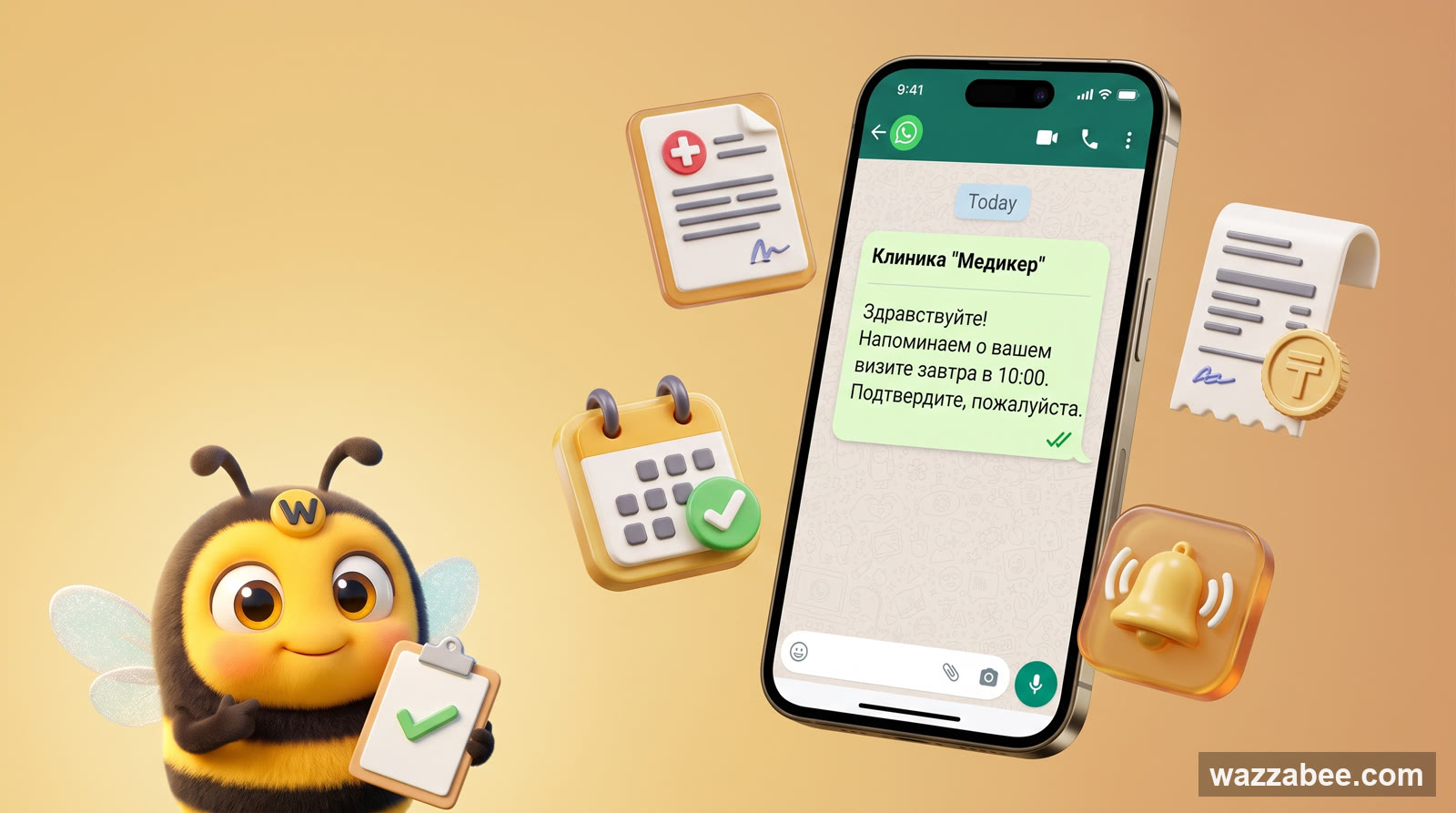
WhatsApp HSM templates in WazzaBee: reaching customers outside the 24-hour window
How clinics, medical centers and service companies use WhatsApp HSM templates in WazzaBee: lab results sent as a link, reminders, invoices, Bitrix24 and CRM robots.