 WazzaBee
How to accept Kaspi payments right in WhatsApp: an invoice to the customer in the chat
✦ Key takeaways
- •What is Kaspi Pay for business in simple terms?
- •Why is "transfer to my number" worse than a Kaspi invoice?
- •How does a Kaspi invoice protect customers from scammers?
- •How do you send a Kaspi invoice to a customer from WhatsApp?
- •How does the CRM know the customer has paid?
To accept Kaspi payments right in WhatsApp, send the customer a Kaspi Pay invoice to their phone number instead of asking them to "transfer to my card". The invoice arrives in the customer's Kaspi app, they pay in a couple of taps, and you see the payment without screenshots. In WazzaBee the invoice goes from the deal card next to the chat, and the deal is marked paid automatically.
Below we cover why an invoice beats a transfer by number, how it protects your customers from scammers, how to send a Kaspi invoice from a WhatsApp chat, a menu bot and Bitrix24, what you need to connect it and how much it costs.
A familiar picture: a customer picks a product in WhatsApp and asks "where do I send the money?". The manager dictates a card number, the customer transfers, promises to send a receipt and forgets. In the evening someone sits over the Kaspi statement trying to work out whose $53 transfer this is and for which order. Meanwhile the deal has no status, and the warehouse does not know whether it can ship.
What is Kaspi Pay for business in simple terms?
Kaspi Pay for business is the Kaspi app that sole proprietors and LLPs use to accept payments from buyers. One of its features is sending a buyer an invoice to their phone number, which they pay in their own Kaspi app.
Searches like "kaspi pay личный кабинет" or "kaspi pay web" are almost always people looking for the login to the service itself. Log in to Kaspi Pay only through the official Kaspi app and website, never via links from a chat: fake login pages are a favourite scammer trick. Check Kaspi Pay terms, plans and fees for your business with Kaspi directly.
This article is about something else: how to connect a Kaspi invoice to the conversation so a manager sends it in seconds without leaving the chat, and nobody has to check payments by hand.
Why is "transfer to my number" worse than a Kaspi invoice?
A transfer by number relies on manual steps, and each one can go wrong. An invoice removes those steps: the amount and recipient are already filled in, and the customer only confirms the payment.
- the customer asks for payment details again and the manager is pulled away from other chats;
- the card number is dictated by hand, and one wrong digit sends the money elsewhere;
- the customer forgets to send a screenshot, and a screenshot is easy to fake anyway;
- the payment is searched for in the statement by amount and name, which is guesswork with a dozen similar amounts;
- the deal does not know the money arrived until someone changes the status manually.
| What we compare | Transfer to a card number | Kaspi invoice from the chat |
|---|---|---|
| What the customer enters | Card number and amount by hand | Nothing, they only confirm the payment |
| Risk of a wrong digit | Yes, especially when dictated | No, the number is taken from the chat |
| Proof of payment | Screenshot from the customer | Invoice status "Paid" |
| What the payment is for | Worked out from the statement | Visible in the comment and the deal |
| Order status | Changed by hand | The deal moves to "Paid" by itself |
How does a Kaspi invoice protect customers from scammers?
When you always send an invoice and never ask for a card transfer, any "please transfer to this card" in your name immediately looks suspicious. The customer knows your rule and will not send money to a scammer.
The scheme is usually the same. A fraudster hijacks a shop's WhatsApp or creates a lookalike profile with your logo, writes to customers and sends "new payment details". Customers used to transfers by number pay up. If your number has already been stolen, see our article "WhatsApp hacked: what to do".
With a Kaspi invoice the customer's experience is different: the invoice arrives in their own Kaspi app with the amount and a comment such as "Order No. 125". Put a simple line in your WhatsApp profile, on your website and in your managers' signatures: "We accept payment only by Kaspi invoice and never ask you to transfer to a card". It is free insurance for both your customers and your reputation.
How do you send a Kaspi invoice to a customer from WhatsApp?
In WazzaBee CRM the invoice is sent from the deal card, and the deal is linked to the conversation. If the customer wrote via WhatsApp, their number is filled into the invoice automatically.
- Open the deal of the customer who is writing to you in WhatsApp.
- In the deal details block, find the "Kaspi" row and click "Issue invoice".
- Check the customer's number, which is already taken from the card. Enter the amount in tenge and a comment, for example "Order No. 125".
- Click "Send invoice". The customer receives the invoice in their Kaspi app on that number.
- An invoice row appears in the card: amount, who issued it, the comment and a status with a waiting timer.
You can also invoice a customer from Instagram or Telegram: there is no phone number in those chats, so the customer types their Kaspi number and the manager adds it to the deal. How conversations turn into deals is covered in our article about a CRM with WhatsApp.
How does the CRM know the customer has paid?
By itself: the system checks the invoice status several times a minute. As soon as the customer pays, the invoice gets the "paid" status, the amount is written to the deal, and an open deal moves to the "Paid" stage.
A "Kaspi invoice paid" entry appears in the deal feed, so the manager and the warehouse see the payment without calling the accountant. There is no need to reload the page: the status updates right in the card.
All company invoices are collected under Settings, Integrations, Kaspi Pay. There you see totals for 7, 30 or 90 days: how much is paid, how much is waiting and how much is unpaid. There is a filter by employee and a "Download Excel" button for accounting. An expired or cancelled invoice can be reissued with one button: same amount, same number and same deal.
Can a chatbot send a Kaspi invoice in WhatsApp by itself?
Yes. In the WazzaBee menu bot a button can have the "Issue Kaspi invoice" action: the customer taps a button such as "Pay" and the bot sends them an invoice without a manager.
- You set the amount in the button settings; the customer does not type it.
- In WhatsApp the invoice goes to the number the customer is writing from. You can also make the bot ask for a different Kaspi number.
- One chat can have one unpaid invoice and no more than 5 invoices per day.
- After payment the bot sends your thank-you text and the deal moves to "Paid".
- If Kaspi Pay is not connected, the bot will not issue an invoice and hands the chat to a manager instead.
This works well for booking deposits, membership payments or fixed service packages. How to build such a bot with buttons is explained in our article "Chatbot for WhatsApp".
What do you need to connect Kaspi Pay to the CRM?
A Kaspi Pay for business account, a separate number for an employee with the "Cashier" role, and WazzaBee CRM with a connected channel. No bank contract, API keys or developer are needed.
The CRM works on behalf of the cashier, so the cashier number has requirements:
- A separate SIM card. A real number that receives SMS. Virtual numbers do not work.
- No sole proprietorship or LLP registered to the number owner. A personal number of an employee or relative will do.
- Cashier role only. Director, manager or accountant roles will not work.
- Do not log in to the Kaspi Pay app with this number. Logging in from a phone breaks the link with the CRM.
To connect: in your Kaspi Pay add an employee with the "Cashier" role, then in the CRM open Settings, Integrations, Kaspi Pay, enter the cashier number, click "Get code" and enter the SMS code. The "Connected" status appears with your organization name. If Kaspi asks for a password or a video check, the number is not suitable, so use another one. Step by step with a video, it is all on the Kaspi invoices in CRM page.
How do you send Kaspi invoices from Bitrix24?
With the "Kaspi Pay by WazzaBee" app from the Bitrix24 Market. The "Kaspi Pay" tab in deals, leads, smart invoices and smart processes already has the customer's number and the amount, and the manager just clicks "Issue invoice".
The app covers what a Bitrix24 sales team needs: the "Issue Kaspi invoice" robot sends the invoice at the right pipeline stage and waits for payment; after payment an entry appears in the feed, whoever issued the invoice gets a notification, and the deal moves to the chosen stage. There is a "Kaspi Pay" payment system for the "Pay" button and a "QR and link" mode: a code for the amount that the customer scans with the camera or opens by link.
The payment link can be sent to the customer in WhatsApp through a WazzaBee channel. If the customer wrote less than 24 hours ago, it goes as a normal message; if more, Meta only allows an approved template of the "Utility" category. Details about the app are on the Kaspi Pay for Bitrix24 page.
How much does it cost to send Kaspi invoices through WazzaBee?
In WazzaBee CRM, Kaspi invoices are included in the CRM at no extra charge: you pay for the CRM and the channel, and there is no separate fee for connecting Kaspi or for each invoice. The Bitrix24 app is paid per cashier per month.
| Option | Price | Terms |
|---|---|---|
| Kaspi invoices in WazzaBee CRM | Included in the CRM | You pay only for the CRM and the channel |
| Bitrix24, "Start" plan | $28 per cashier per month | Up to 300 payments per month per cashier |
| Bitrix24, "Unlimited" plan | $59 per cashier per month | No limit on the number of payments |
| Bitrix24 together with WazzaBee CRM | No app fee | Up to 10 cashiers while the CRM and a WhatsApp channel are paid |
The Bitrix24 app has the first 7 days without payment from the moment the first cashier is connected, 10% off for six months and 20% off for a year. WazzaBee is not a bank or an acquirer: buyers' money goes straight to your organization's Kaspi account, and we neither receive nor hold it.
If you do not have official WhatsApp yet, connecting it in WazzaBee takes 15 minutes; the process is described step by step in our WABA connection guide.
FAQ

An omnichannel platform that connects messengers to your CRM. We link WhatsApp, Telegram, Instagram and 5 more channels to your business in Kazakhstan.
You may also like
WhatsApp hacked: what to do in the first 10 minutes and how a business keeps its customers
What to do if your WhatsApp was hacked: how to recover the account with the SMS code, why you sometimes wait 7 days, what the hacker sees, how to warn customers and protect a business number.
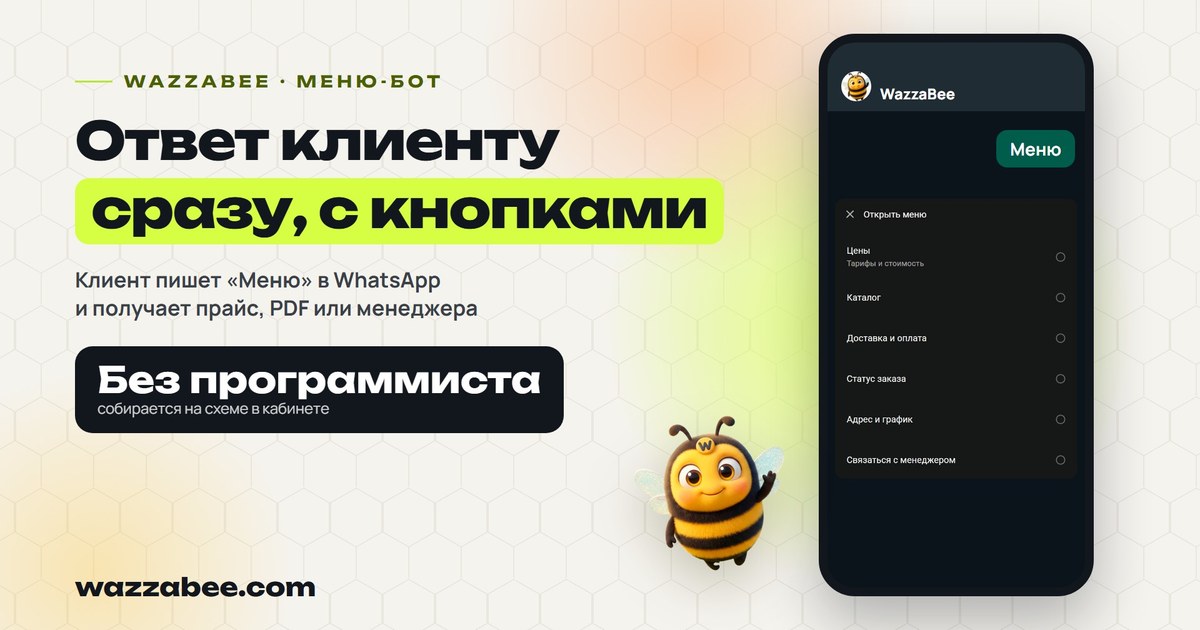
WhatsApp chatbot: a menu with buttons that answers customers instantly
The customer sends "Menu" and instantly gets a menu with buttons: prices, services, booking, a PDF price list or a manager. How the WazzaBee WhatsApp chatbot works, which businesses it suits, how to launch it from ads and build it without a developer.
AI manager for WhatsApp: how the WazzaBee AI Office answers customers 24/7
WazzaBee AI employees answer customers on WhatsApp, Instagram, Telegram and OLX using your company knowledge, call in a manager when a person is needed and send a report every evening. How it works, what it costs and how to launch it without risk.