 WazzaBee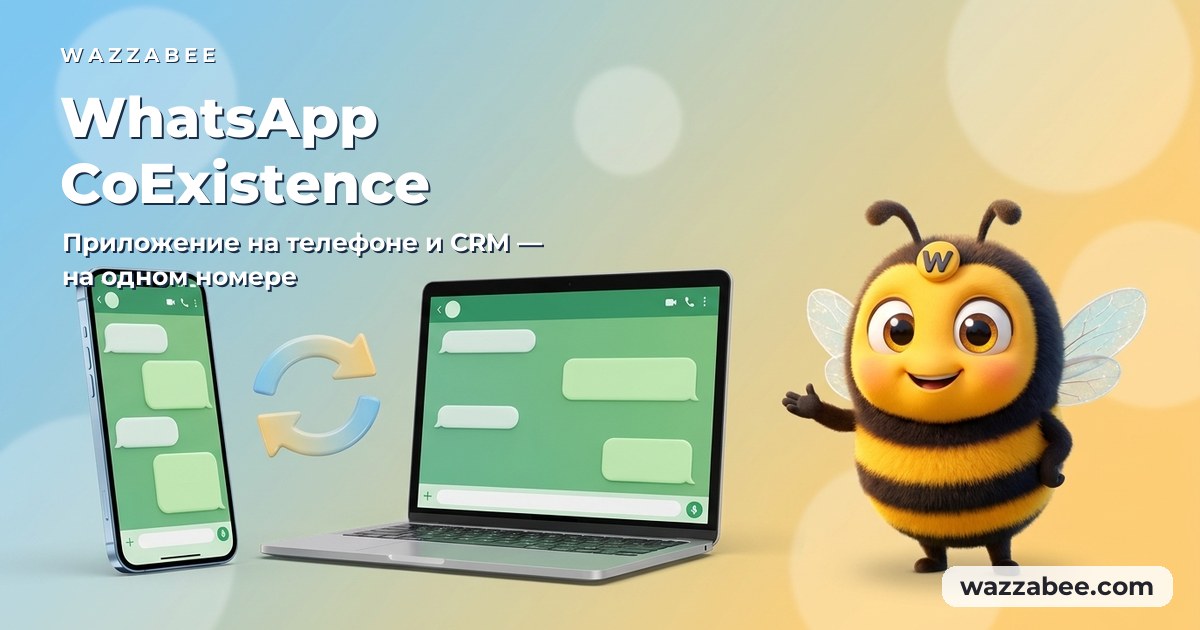
WhatsApp CoExistence: connect the WhatsApp Business app to your CRM without losing the number or the history
✦ Key takeaways
- •Your customers know your number, and that is exactly why you never went official
- •What WhatsApp CoExistence is, in plain language
- •How CoExistence works under the hood
- •What your business gets once CoExistence is live
- •Who CoExistence suits and who it doesn't
WhatsApp CoExistence is Meta's official mode in which one and the same number runs at the same time in the WhatsApp Business app on your phone and in the WhatsApp Cloud API. The app stays on the phone, the number doesn't change, and the chat history from the last 6 months moves into your CRM. Below: what this gives a business in Kazakhstan, the requirements Meta has set, and how to connect the WhatsApp Business app through WazzaBee step by step.
Your customers know your number, and that is exactly why you never went official
You know the picture. A salon, a shop or a service centre has been running on one number for five years. The WhatsApp Business app holds three thousand conversations, a base of regulars, order history, chats with suppliers. That number is printed on the business cards, the sign above the door, the packaging, the map listings and every ad.
Then the task arrives: connect a CRM, run a broadcast to the customer base, add a chatbot, hand chats out to agents. You go to an integrator and hear: "The number has to be freed up. Delete the app from the phone. The history stays on the phone, it will not reach the CRM."
And that is where it always stalled. Giving up your only working number, blinding the agents who are used to replying from a phone, and losing access to years of correspondence: too high a price for automation. So the move got postponed by a year, then two, then three.
CoExistence cancels that trade-off. You keep the number, keep the app and keep the history, and you still get an official Meta channel with broadcasts, templates, bots and an integration with Bitrix24 or amoCRM.
What WhatsApp CoExistence is, in plain language
CoExistence (literally "living side by side") is a mode where your number lives in two places at once:
On the phone: the WhatsApp Business app works exactly as before. The agent on the shop floor opens it and replies the way they always have.
In Meta's cloud (Cloud API): the same messages land in WazzaBee, and from there they flow into your CRM, your reports and your automations.
The customer notices nothing: they write to the same number and get an answer in ordinary WhatsApp. A message sent from the phone also appears in WazzaBee. A message sent from WazzaBee reaches the customer as a normal WhatsApp message. No duplicates: Meta keeps both channels in sync on its own side.
If you want the big-picture view (what exactly Meta changed and why it matters to the market), we cover that separately: WhatsApp Coexistence: connecting your business to a CRM without deleting the app. This article is the practical half: requirements, steps and money.
Until now you had to pick between three bad options. Let's be honest about each one.
Option 1. Connecting by QR code
Fast, cheap, live in two minutes. And fine right up until your first broadcast: mass sending from an unofficial connection breaks WhatsApp's rules, and the number gets banned. We took apart the mechanics of those bans in a separate piece: why business numbers get blocked on WhatsApp and how to get back to work. Recovering a banned number does not always succeed.
Option 2. Classic WABA
Official, safe, broadcasts allowed. But the number has to be freed up: delete WhatsApp from the phone so Meta can take it into the Cloud API. The history stays on the phone, agents lose the tool they know, and the number goes quiet while the move happens. The details are in our article on official WhatsApp for business and WABA setup in Kazakhstan.
Option 3. A second number
The most common compromise: leave the old number to the agents and get a new one for the API. The result is a business paying for two lines, customers still writing to the old number, and broadcasts going out from an unfamiliar one, and conversion drops, because the recipient doesn't recognise the sender.
CoExistence removes all three compromises at once: an official channel, the same number, and a live app on the phone.
How CoExistence works under the hood
Technically, when you connect, Meta links your WhatsApp Business account to the WhatsApp Cloud API and starts mirroring the message flow in both directions. The phone stays the "lead" device; it is what keeps the link alive.
What that means day to day:
An incoming message from a customer arrives both on the phone and in WazzaBee, and from there in your CRM.
A reply sent from the phone shows up in WazzaBee marked "📱 from phone"; you always know who answered the customer and from where. In a Bitrix24 Open Channel the same message is signed "📱 Agent (from phone)".
A reply sent from WazzaBee goes to the customer through the Cloud API and arrives as an ordinary WhatsApp message.
Broadcasts and templates are sent only from WazzaBee; that is the official route Meta allows.
One detail that matters to owners: an agent's phone conversations stop being a black box. Everything sent to a customer from a staff member's personal phone is visible in the CRM and stays with the company, even if that person leaves and takes the handset with them.
What your business gets once CoExistence is live
This is no longer "WhatsApp on a phone"; it is a full sales channel. Here is what opens up:
Official broadcasts to your base: through Meta templates, with no risk of a ban. Scenarios and pricing are covered in our piece on WhatsApp broadcasts in Kazakhstan.
Two-way CRM integration: WhatsApp in Bitrix24 and WhatsApp in amoCRM: leads, deals, contact cards, and the whole conversation stored in the customer's history.
One inbox for every messenger: WhatsApp, Telegram, Instagram Direct, Facebook Messenger and OLX in a single chat list, with tags, search and assignment to agents.
A team instead of one phone: several agents work the same line from their computers, and the manager sees who replies and how.
Chatbots and robots: auto-greetings, menus, routing by department, automatic template sending from Bitrix24 workflows.
"Click to WhatsApp" ads: clicks from Facebook and Instagram land straight in the chat, and each enquiry reaches the CRM with its source attached.
Analytics: number of conversations, response speed, agent workload, broadcast results.
A website widget and an API: a WhatsApp button on your site and the ability to send from your own systems.
Higher sending limits: instead of homemade rules like "40 messages a day so we don't get banned", you get Meta's official tier system, which grows as your number's quality rating grows.
Who CoExistence suits and who it doesn't
An honest filter, so nobody wastes time.
It fits if:
the number has been in use for years, customers know that exact number, changing it is out of the question;
part of the team physically replies from a phone: on the floor, on the road, in the workshop;
you need broadcasts and notifications but you're afraid of a ban;
you need a CRM, but there is nobody to retrain the agents on a new interface;
it matters that customer conversations stay with the company, not in employees' phones.
It doesn't fit if:
the number is new and has no history: classic WABA is the simpler route;
you plan to drop the phone entirely and work only from the CRM: then the phone is a spare part in this scheme;
the account is younger than three months or fails one of Meta's requirements listed below.
Side by side: QR connection, classic WABA and CoExistence
| Criterion | QR connection | Classic WABA | CoExistence |
|---|---|---|---|
| App on the phone | Stays | Deleted | Stays and works |
| Number | The same | The same, but with downtime | The same, no downtime |
| Chat history | Not transferred | Not transferred | Up to 6 months in the CRM |
| Official broadcasts | Forbidden | Allowed | Allowed |
| Ban risk | High | Low | Low |
| Meta templates and bots | No | Yes | Yes |
| Replies from the phone | Yes | No | Yes, flagged in the CRM |
| Blue checkmark | Impossible | Possible | Possible |
| Best for | Testing and first steps | A new number for the business | A working number with history |
Meta's requirements: check the number before you start
CoExistence is a Meta feature with strict entry conditions. Miss a single one and the connection breaks off with an error on Meta's side. Check everything in advance.
| Requirement | How to check |
|---|---|
| WhatsApp Business App version 2.24.17 or higher | WhatsApp Business → Settings → Help → App info. Older version, update it in Google Play or the App Store |
| The number is actively used in WhatsApp Business | Meta looks at the number age and messaging quality. A brand new account may not be eligible yet |
| The number is not connected to another WhatsApp API provider | If the number already lives in another official API service, disconnect it there first |
| You have a Facebook account | Needed to sign in to Meta Business; a personal one is fine |
Check separately that the number is currently "clean": not under review and not restricted. What to do if WhatsApp is already showing a review status is covered in "Account under review": what to do and how to keep your number.
How to connect the WhatsApp Business app through WazzaBee, step by step
We run CoExistence connections hands-on: your phone, your Facebook and Meta are all involved, and a mistake halfway through is expensive. That is why the mode is opened on request rather than switched on blind with a button.
Step 1. Request and number check
Message WazzaBee support and say you want to connect a number through CoExistence. We'll walk the requirements above together and tell you straight whether your account qualifies, before you pay anything.
Step 2. Payment and opening the mode
Once the check is done you pay for the connection and we open CoExistence in your account. A second option appears in the WhatsApp connection wizard: "Keep WhatsApp Business on the phone".
Step 3. Launching the wizard
In your account go to Channels → Add channel → WhatsApp → "WABA (Official API)". Choose "Keep WhatsApp Business on the phone (CoExistence)".
Step 4. Pre-flight checklist
The system shows Meta's list of requirements and asks you to confirm you meet them. The "Next" button unlocks only after the tickbox; that is your protection against the connection dying on Meta's side.
Step 5. Decide about the chat history
Here you choose: start with a clean slate, or pull the last 6 months of history into WazzaBee. This decision is made once and for good. Details in the next section.
Step 6. Facebook authorisation
Click "Sign in with Facebook". In the Meta window that opens, pick your WhatsApp Business Account, confirm your rights to the number and go through the "Connect existing WhatsApp Business" step; that is the CoExistence activation itself. Then come back to the WazzaBee tab.
Step 7. Pick the number and finish
Select your number from the list. Within 5–10 seconds you'll see "CoExistence channel created": the line is ready. The app on the phone keeps working, and new messages go to both places.
The full manual, with every screen described and the typical errors explained, lives in the documentation: connecting WhatsApp CoExistence in WazzaBee.
History transfer: a 24-hour window you can't replay
Meta hands over the conversation archive exactly once: within a day of connecting. Miss the window, change your mind a week later, and the old chats will never reach the CRM. So the decision is made before you press the button.
What comes across: message texts from the last 6 months, captions on photos and files, dates and times, plus contact names from your phonebook, so your chats show proper names instead of bare digits. If you have already renamed a contact in WazzaBee by hand, your version is kept.
What doesn't come across: the files themselves: photos, videos and documents stay in the app on the phone, and imported messages carry only the caption and a note about the attachment type. Group chats are not transferred either: only one-to-one conversations are imported. None of this applies to new messages; those arrive in WazzaBee with attachments as usual.
The import starts automatically a few minutes after connection and runs in the background. Nothing to click, no need to keep the tab open. Occasionally the data takes up to a day to appear rather than minutes; that is normal.
House rules once you're connected
CoExistence asks for a little discipline. Five rules worth passing on to the team.
| Rule | Why |
|---|---|
| Open WhatsApp Business on the phone at least once every 14 days | Meta's requirement. If the app hasn't been opened for two weeks, the link to the Cloud API can break and the connection has to be redone |
| Don't delete the app from the phone | The phone is the lead device here. Delete the app and CoExistence switches off |
| Don't change the number inside the app | Changing the number breaks the link. The new number would have to be connected from scratch |
| Broadcasts only from WazzaBee | Mass sending from the app still breaks WhatsApp's rules and leads to a ban. WazzaBee has Meta templates for exactly this |
| Keep an eye on the line balance | Charges happen in real time for every message that goes through the API |
What CoExistence costs
The cost has two parts, and it's important not to mix them up.
1. The WazzaBee subscription. CoExistence is billed as a WABA line: the ENTERPRISE plan, 29 $1.99 per month, with no cap on the number of conversations. There is no separate fee for the CoExistence mode itself. How line activation, invoice payment for companies and renewals work is set out in channel activation and billing.
2. The message balance. Spent only on what actually travels through the official API. The logic is simple:
| What happened | Charged to the balance |
|---|---|
| A customer wrote to you | Yes, a technical fee for processing through the API |
| You replied from WazzaBee within 24 hours | Yes, the technical fee only |
| You replied from the phone | No, those messages don't go through the API |
| A broadcast or template from WazzaBee outside the 24-hour window | Yes, Meta's template rate plus the fee |
| A customer arrived from a "Click to WhatsApp" ad | The technical fee only |
In short: anything done from the phone is free; anything that goes through the API is paid. Current Meta template rates by category are always visible in your account; Meta changes them several times a year, so trust the figures in the interface rather than a price list from a year ago. We broke down today's rates in how much WhatsApp Business API costs in Kazakhstan, and the next rule change is explained in our article on paid service messages from 1 October 2026.
We never block incoming messages: even at a zero balance a customer still gets through to you, and the charge is settled afterwards. Only outgoing messages are held, and sending resumes the moment you top up. You will not lose enquiries because an invoice went unpaid on a Friday evening.
Why connect CoExistence through WazzaBee
We run the connection by hand instead of sending you a link. We check the number before you pay, walk you through Meta and help on every screen. You are never left alone with an English error message halfway through.
One of the first platforms in Kazakhstan to support CoExistence. The mode runs in production for us, and we already know every rake Meta leaves lying around.
You can see who replied from a phone. The "📱 from phone" flag in chats and in Bitrix24 Open Channels means you always know where a reply came from.
A Kazakhstan-based service. Payment in tenge, invoices and closing documents for companies, support in Kazakh and the other languages our market speaks, real people in the chat rather than a bot with canned replies.
Every channel in one window. Alongside WhatsApp: Telegram, Instagram Direct, Facebook Messenger, OLX and a website widget. One platform instead of five browser tabs.
Ready-made integrations. Bitrix24 (including via the Marketplace) and amoCRM connect without developers, together with robots and automatic template sending.
🔗 If freeing up the number is no problem and you don't need the app on the phone, the setup is even simpler: see the guide on how to connect official WhatsApp (WABA) step by step.
Connect CoExistence and keep your phone
Your number already works. It carries your customer base, your reputation and half your sales. CoExistence doesn't ask you to risk any of that; it adds an official Meta channel on top of the phone you already use: broadcasts, templates, bots, CRM and analytics.
Fifteen minutes to connect, and customer conversations stop living inside employees' phones, while broadcasts stop being a game of roulette with the ban hammer.
🚀 Sign up for WazzaBee and request CoExistence →
Registration is free. We'll check your number before you pay and tell you honestly whether it meets Meta's requirements.
FAQ

An omnichannel platform that connects messengers to your CRM. We link WhatsApp, Telegram, Instagram and 5 more channels to your business in Kazakhstan.
You may also like
MM Lite for WhatsApp (Marketing Messages Lite): why to enable it and how to set it up for WABA broadcasts
MM Lite (Marketing Messages Lite API) increases WhatsApp broadcast deliverability by up to 9% with no extra fees and no template rework. We explain why to enable MM Lite for WABA and how to activate it step by step.
How to choose a WhatsApp Business API provider in Kazakhstan: 2026 guide and a 10-question checklist
How to choose a WhatsApp Business API provider in Kazakhstan: provider types, what the real WABA price is made of, a 10-question checklist before paying, a monthly cost example and five places where companies overpay.
How to officially connect the WhatsApp Business API in Kazakhstan: which method to choose and what to prepare
Three official ways to connect the WhatsApp Business API in Kazakhstan, Meta requirements for businesses and the connection steps. In WazzaBee the number connects in 15 minutes, the subscription is 29 900 ₸ per month.