 WazzaBee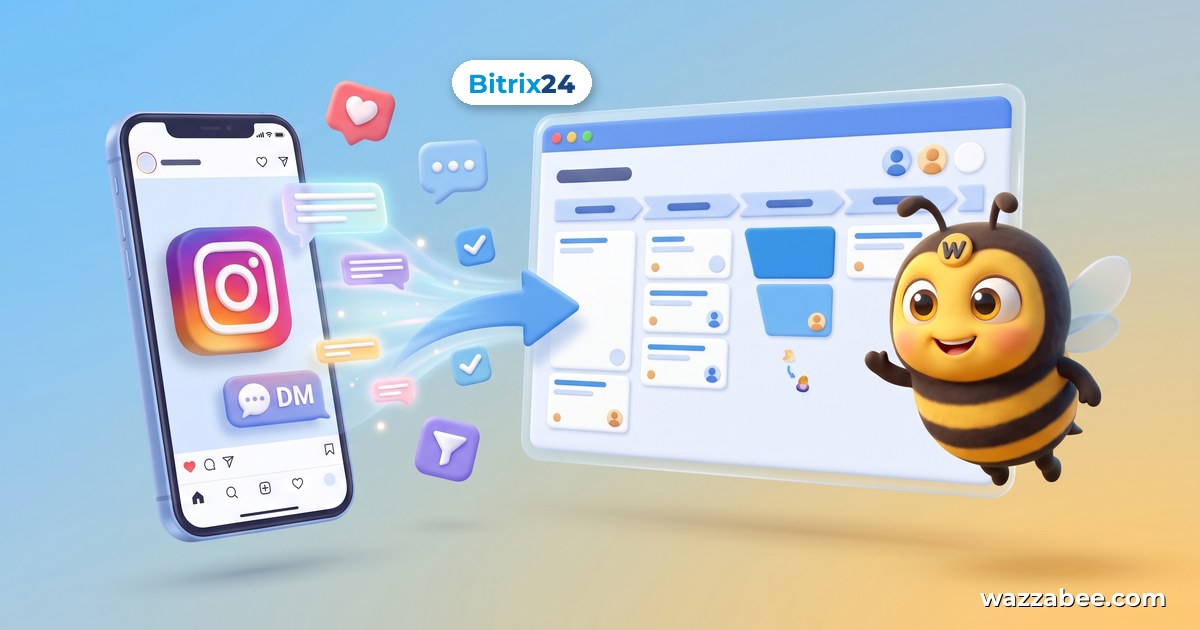
How to Connect Full-Featured Instagram to Bitrix24
✦ Key takeaways
- •How do you connect Instagram to Bitrix24?
- •What's wrong with the free Instagram and Bitrix24 integration?
- •How does the Instagram integration with Bitrix24 via WazzaBee work?
- •What does a manager see when a customer sends a post?
- •What do you need to prepare before connecting?
How do you connect Instagram to Bitrix24?
Instagram connects to Bitrix24 via WazzaBee in two steps: add an Instagram line in the "Communication lines" section, then in "Connectors → Bitrix24" on the Instagram tab turn on "Connect to contact center" and select an Open Channel. After that, Direct messages arrive in the Bitrix24 contact center, and a contact and a deal are created automatically.
Instagram Direct is one of the main sales channels in Kazakhstan and the CIS. But the standard free Bitrix24 integration has frustrating limitations: part of the conversation gets lost, and the manager in charge doesn't see the full picture. Below is how to connect full-featured Instagram to Bitrix24 via WazzaBee so that everything actually works.
What's wrong with the free Instagram and Bitrix24 integration?
The most common complaint: if a manager replies to a customer directly from the Instagram app on their phone, that reply does not reach the Bitrix24 Open Channel. Only half of the dialog stays in the CRM: the customer's question is there, but the manager's reply is not. The head of sales can't monitor the work, and the conversation history breaks.
When Direct lives separately from the CRM, problems keep piling up:
Direct is handled by one person from a phone. Leads are mixed with comments and spam, and the company has no control over the flow.
Ads aren't measured. A campaign drives people to Direct, but nothing from there reaches the CRM, so the cost per lead is unknown.
Replies come late. While one person sorts through Direct, the customer leaves for those who answered faster.
The account depends on one person. The password is with a contractor: the SMM specialist changes, and access to the conversations is cut off.
How does the Instagram integration with Bitrix24 via WazzaBee work?
WazzaBee connects Instagram Direct to the Bitrix24 Open Channel in full. The message path is simple: a customer writes to you on Instagram, the message appears in Bitrix24, a manager replies from the contact center, and the customer receives the reply on Instagram.
- Customer messages from Instagram arrive straight in the Bitrix24 contact center, and a contact and a deal are created automatically.
- Manager replies from the phone, straight from the Instagram app, are also visible in the Open Channel conversation, marked "Operator (from phone)". Nothing gets lost.
- You can connect several Instagram accounts: they don't get mixed up with each other.
| What you get | How it looks in Bitrix24 |
|---|---|
| Direct in the Open Channel | Messages arrive in the contact center, the manager replies from there, no need to keep a phone at hand |
| Contact and deal | Created automatically for every new customer |
| Replies from the phone | Visible in the conversation marked "Operator (from phone)" |
| Shared posts | The chat shows that the customer sent a post, not their own photo |
| Customer username in the card | The "WazzaBee: Instagram (username)" field is filled in automatically with the first message |
| Several accounts | Each account is a separate line, dialogs don't get confused |
| Teamwork | Dialogs are distributed among managers according to the Open Channel queue rules |
What does a manager see when a customer sends a post?
Customers often send more than text to Direct: shared posts, ads, other people's publications. WazzaBee shows the manager right in the chat that the customer sent a post or a shared publication rather than their own photo, so the manager immediately understands the context of the request.
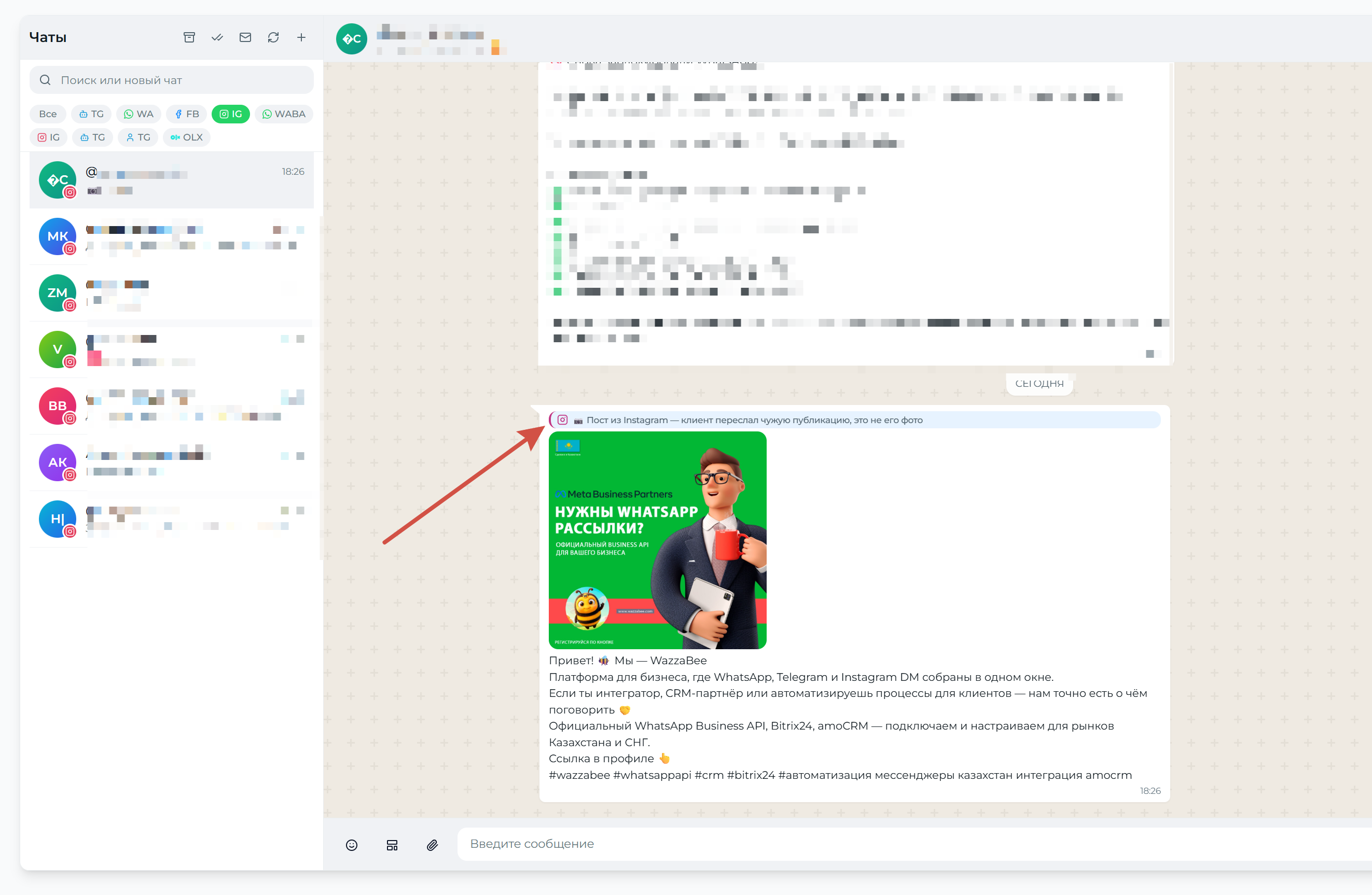
The same label exists in WazzaBee's own chats: under every outgoing message it says where it was sent from: the phone, WazzaBee, or Bitrix24. The customer doesn't see these labels.
What do you need to prepare before connecting?
The main requirement: the Instagram account must be professional, "Business" or "Creator". With a personal account you can log in, but Instagram doesn't grant access to messages, and the line won't connect. This is a limitation of Instagram itself and can't be bypassed.
A professional Instagram account with message access enabled for connected tools.
The WazzaBee app in Bitrix24. It is published in the Bitrix24 Marketplace, and the portal is linked to your account following the Bitrix24 connection guide.
An Open Channel in Bitrix24. It is created under Contact Center → Open Channels, where you also set up the manager queue and deal creation.
How to connect Instagram to Bitrix24: step by step
Switch Instagram to a professional account. In the phone app, open your profile, the "three lines" menu, then "Settings and privacy" → "Account type and tools" → "Switch to professional account" and choose the "Business" type. If your profile already says "Professional account", skip this step.
Allow access to messages. "Settings and privacy" → "Messages and story replies" → "Message controls", turn on "Allow access to messages". Without this checkbox the line will connect, but incoming messages won't arrive.
Add a line in WazzaBee. Open "Communication lines", click "Add line" and choose Instagram. Log in with your business account and on the access request screen click "Allow" without unchecking anything. If a personal Instagram is open in the browser, log out of it first.
Check the line. The account will appear in the list of communication lines with a name like @nickname and the status "Active".
Connect Bitrix24 if it isn't connected yet. In "Connectors", click the "Bitrix24" card, install the app from the Marketplace, enter the portal address without https:// and click "Connect".
Link Instagram to the Open Channel. In "Connectors → Bitrix24", go to the Instagram tab, turn on "Connect to contact center", select an Open Channel and click "Save". In Bitrix24 the connector will be marked as connected.
Test the setup. Ask someone to message you in Direct: the message will appear in the Open Channel, and a contact and a deal will be created. Reply from Bitrix24 and from the phone, and both replies will be visible in the conversation.
A detailed guide with screenshots is in our documentation: Instagram + Bitrix24: Open Channel and replies from the phone. How to connect the line itself is described in the Instagram Direct guide. Note: only new messages reach Bitrix24; conversations from before the connection are not loaded.
How do you connect several Instagram accounts to one Bitrix24?
Each account is connected as a separate communication line, and messages don't get mixed up: the system knows exactly which account the customer wrote to. It's convenient to set up a separate Open Channel for each account, for example "Instagram: store" and "Instagram: brand". This way managers immediately see where the customer came from, and requests can be routed to different pipelines.
How do you close a dialog and get a new deal for a repeat request?
To do this, a robot is placed on the final deal stages in Bitrix24: it sends the phrase #close_dialog to the Open Channel, WazzaBee closes the dialog, and the phrase is not sent to the customer. When the customer writes again, a new dialog starts and a new deal is created. The mechanism works for Instagram too.
The phrase must be a separate message with no extra text, and the "Hidden message" checkbox in the robot must not be enabled. How to set it up is described in the dialog auto-close guide.
Can you message a customer on Instagram first from Bitrix24?
No: on Instagram a message is delivered only if the customer already has an open dialog with you. The WazzaBee robot in Bitrix24 can send plain text to Instagram at the right deal stage, and in the recipient field it's convenient to insert "WazzaBee: Instagram (username)". Writing first after a long silence is only possible via an official WhatsApp template. Learn more in the WazzaBee robot guide.
How often do you need to reconnect Instagram?
Instagram access is granted for 60 days, but WazzaBee renews it automatically. You'll only need to reconnect if you changed your Instagram password, revoked access in the settings, or switched the account back to personal. In that case the line will show a "Reconnect Instagram" button: conversations, plan and settings will be kept.
What if Instagram messages don't arrive in Bitrix24?
| What you see | What to do |
|---|---|
| "Instagram does not grant access to this account's conversations" | The account is still personal. Switch it to professional and connect the line again |
| The line is active, but messages don't arrive | Check "Allow access to messages" in the Instagram settings |
| "This Instagram account is already used by another user" | The account is connected to another WazzaBee account. Disconnect the line there or contact support |
| The wrong account got connected | Log out of Instagram in the browser, delete the extra line and connect again with the right account |
| Messages are in WazzaBee but not in Bitrix24 | Check that "Connect to contact center" is turned on and an Open Channel is selected on the Instagram tab |
| No open channels found | Create a channel in Bitrix24: Contact Center → Open Channels |
How much does the Instagram integration with Bitrix24 cost?
The Bitrix24 integration is included in the price of the Instagram line: you don't pay separately for the connector or app installation. The TEAM line plan costs $23 per month and covers 500 dialogs; for the first 7 days the line runs in trial mode. Current prices are on the Instagram and Bitrix24 page.
Can you run Instagram and WhatsApp in one Bitrix24?
Yes. The channels arrive in one CRM and in the company's shared chat, each in its own Open Channel. Official WhatsApp is connected the same way, via "Connectors → Bitrix24": see WhatsApp for Bitrix24 and the article "WhatsApp integration with Bitrix24".
Summary
A full-featured Instagram integration with Bitrix24 means the CRM shows the entire conversation, including managers' replies from the phone, and every request turns into a deal. That's exactly how WazzaBee works. Message us, and we'll help you connect your Instagram to Bitrix24 in a few minutes.
FAQ

An omnichannel platform that connects messengers to your CRM. We link WhatsApp, Telegram, Instagram and 5 more channels to your business in Kazakhstan.
You may also like
How to connect Instagram to amoCRM: Direct messages linked to deals
WazzaBee connects Instagram to amoCRM in two steps: Direct messages create deals and agents reply from the card. An Instagram channel starts at 9 900 ₸ per month.
Why Instagram and WhatsApp were blocked in Kazakhstan: outage or account ban
Instagram and WhatsApp are not banned in Kazakhstan: when they "don't work", it's either a global Meta outage, a ban on your account, or an internet problem. A table for quick diagnosis, reasons why business accounts get banned, an outage-day action plan and a way to stop depending on bans.
WhatsApp integration with Bitrix24: how to connect it and handle all chats in the CRM
WhatsApp integration with Bitrix24: WhatsApp conversations land in the Contact Center automatically, create leads and deals and stay with the company. How it works and how to connect it in minutes through WazzaBee, without coding.